

The eTravel Pass Philippines for business travelers is a free digital entry declaration required for all visitors arriving in the Philippines. UK business travellers must complete the online registration at etravel.gov.ph within 72 hours of departure, providing passport details, travel itinerary, and accommodation address to receive a QR code for immigration clearance.
What Is the eTravel Pass and Do Business Travelers Need It?
The eTravel Pass Philippines is a free digital declaration replacing paper arrival cards. All arriving passengers must register, except transit passengers and diplomatic passport holders.
The eTravel Pass Philippines (Philippine Travel Information System, R.A. 11032) integrates the Electronic Health Declaration Card (eHDC) for BOQ health surveillance and is mandatory for all arriving foreign passengers holding 9A (Temporary Visitor), 9D (Treaty Trader/Investor), 9G (Pre-arranged Employment), or 9E (Accredited Foreign Government Official) visas. The Department of Tourism (DOT) partners with the Bureau of Immigration (BI) and Bureau of Quarantine (BOQ) under the Ease of Doing Business Law.
Exemptions apply to foreign diplomats, dignitaries and their dependants, 9(e) visa holders, and diplomatic or official/service passport holders. A passport with at least 6 months validity from arrival is required for the eTravel Pass Philippines. Registration is available via the eTravel portal or the eGovPH app. On-site kiosks are planned for individuals without smartphones. For assistance, contact the BI hotline at (+632) 8-524-3769 or email [email protected].
How to Complete eTravel Registration for a Business Trip
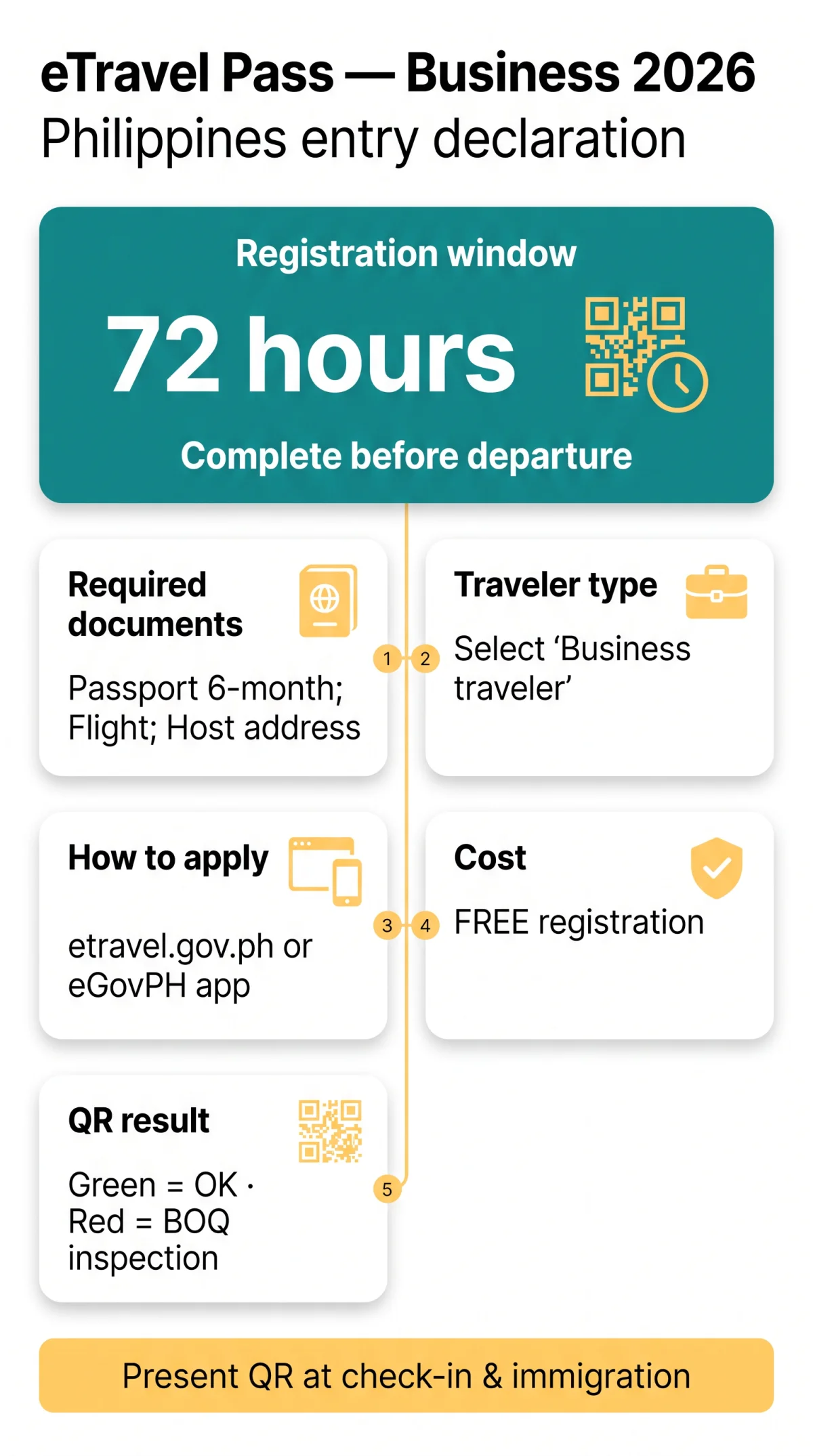
UK business travellers must complete eTravel Pass Philippines registration at etravel.gov.ph within 72 hours before departure, submitting passport details, flight information, and accommodation address.
The eTravel Pass Philippines for business travellers requires selecting “Business traveler” as your traveller type and entering your host company address when visiting a corporate partner. Registration is available via the eTravel portal or the eGovPH app as a mobile alternative.
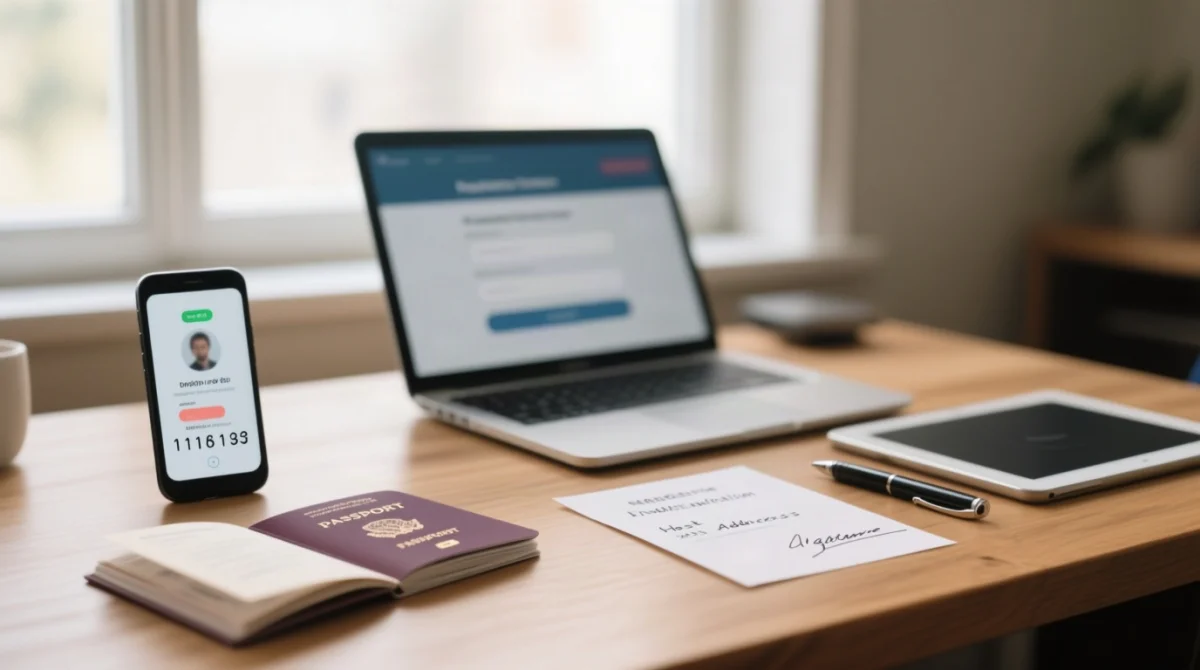
Step-by-Step Walkthrough
Go to etravel.gov.ph/signin and create an account
Use an active email address (Gmail recommended).
Enter the 6-digit one-time password (OTP)
Sent to your email for verification.
Fill in personal fields
Full name, sex, birth date, country of birth, citizenship, phone number, and passport details.
Select travel direction
Arriving in the Philippines.
Select traveller type
Business traveler.
Enter your host company address
Not hotel, when visiting a corporate partner.
Complete the Health, Baggage, and Currency Declarations
Then digitally sign and submit.
Required Documents for Business Travelers
- Passport with 6 months validity from arrival
- Flight itinerary
- Business invitation letter
- Accommodation or host company address
72-Hour Registration Window
Complete the eTravel Pass Philippines within 72 hours before arrival. Registration is FREE. You can edit your data before border control processing by BOQ and BI.
Visa Types, Digital Nomads, and eTravel Compliance
Holders of 9G, 9D, or 9A visas must register for the eTravel Pass Philippines. It does not authorise employment; digital nomads need a separate work permit.
eTravel is separate from visa applications; it streamlines border processing but grants no employment rights. No dedicated digital nomad visa exists as of 2026. The eTravel Pass Philippines for business travellers requires registration regardless of visa type.
| Visa Code | Classification | eTravel Required? | Work Authorisation? |
|---|---|---|---|
| 9A | Temporary Visitor | Yes | No |
| 9D | Treaty Trader / Investor | Yes | Limited |
| 9G | Pre-arranged Employment | Yes | Yes |
| 9E | Accredited Foreign Gov. Official | Exempt | N/A |
Declaring “Business” on the eTravel Pass Philippines does not authorise remote work. Visitors on 9A status risk scrutiny if conducting productive activities. Longer engagements require a Special Work Permit (SWP) or Provisional Work Permit (PWP); formal employment demands an Alien Employment Permit (AEP).
Your eTravel QR Code and Avoiding Scams
The eTravel Pass Philippines generates a QR code upon submission: green means cleared for immigration; red means additional health screening. Registration is completely free at etravel.gov.ph.
Green QR = cleared for immigration; red QR = past 30-day exposure, requiring BOQ inspection. Present your QR code to your airline representative before boarding and again at airport immigration upon arrival. A printed QR code is also accepted.
The eTravel Pass Philippines is FREE; report scam sites to cicc.gov.ph/report/. Retrieve lost QR at etravel.gov.ph/search using your date of birth. Present only one QR code during inspection.
Business-class passengers must pay a departure travel tax of PHP 720+, while economy class is PHP 200, collected by airlines on behalf of TIEZA. Frequent business travellers must register for each trip, as the eTravel Pass Philippines does not support multiple-entry reusability. Long-term visa holders may be eligible for e-Gate processing at NAIA. Departing foreign nationals are not required to register; outbound eTravel applies only to departing Filipino citizens.
This is an independent informational website for travellers. We are not affiliated with the Philippine government. Our content is researched from official sources including etravel.gov.ph and Bureau of Immigration announcements.
Frequently Asked Questions (FAQ)
The eTravel Pass Philippines FAQ covers application steps, required documents, the 72-hour registration window, e-Gate eligibility at NAIA, and visa-specific requirements for UK business travellers.
How do I apply for the eTravel Pass for a business trip to the Philippines?
You apply via the eTravel portal at etravel.gov.ph or through the eGovPH app. Create an account using an active email address, verify with a 6-digit OTP, and complete the travel declaration by selecting “Business traveler” as your traveller type.
What documents do I need for the eTravel Pass as a business traveler from the UK?
You need a passport valid for at least 6 months from arrival, your flight itinerary, and your accommodation address (host company or hotel). Children of business travellers require individual eTravel Pass Philippines registration. You will also need details to complete the Health Declaration, Baggage Declaration, and Currency Declaration forms.
Is the eTravel Pass free for business travelers?
Yes, the eTravel Pass Philippines is completely free. The eTravel portal at etravel.gov.ph does not charge any registration fee. Any third-party website requesting payment is unauthorised and potentially fraudulent.
When should I complete my eTravel registration before my business trip?
You must complete your eTravel registration within 72 hours before your arrival in the Philippines. This ensures your health and travel data are current for the Bureau of Immigration and Bureau of Quarantine upon entry.
Do digital nomads need a different eTravel Pass than tourists?
No, digital nomads use the same eTravel Pass Philippines system but should select “Business traveler” as their traveller type. However, the eTravel Pass does not authorise employment. Digital nomads intending to work remotely may require a Special Work Permit (SWP) or Provisional Work Permit (PWP).
Can I use the e-Gate at NAIA with my eTravel QR code?
Travelers with a green QR code can proceed directly with immigration inspection upon arrival. While e-Gate eligibility for long-term business visa holders is expanding, you should present your QR code to airline representatives prior to boarding and at airport immigration.
What is the travel tax rate for business class flights in the Philippines?
The Philippine travel tax for departing passengers is PHP 200 for economy class and PHP 720 or more for business or first class. This departure tax is collected by airlines on behalf of TIEZA and is separate from the free eTravel Pass Philippines registration.
Do I need eTravel if I’m just transiting through Manila?
Foreign nationals who remain in the airside transit area during a layover and do not pass through Philippine immigration formalities are generally exempt from the eTravel requirement. If you leave the airport transit area, you must complete the eTravel registration.
How do I retrieve a lost eTravel QR code?
Retrieve your lost eTravel QR code by visiting etravel.gov.ph/search and selecting the Edit Registration tab. Enter your date of birth to access your previously submitted travel declaration and view or reprint your QR code.
What visa do I need for business travel to the Philippines from the UK?
UK citizens entering for short-term business typically use a 9A Temporary Visitor Visa. For employment or investment, relevant classifications include the 9G Pre-arranged Employment Visa, 9D Treaty Trader/Investor Visa, or 9E Accredited Foreign Government Official visa. All arriving foreign passengers holding these visas must register for the eTravel Pass Philippines.