

Complete the eTravel Pass for the Philippines within 72 hours before your scheduled arrival in the country. Submitting earlier is blocked by the system; registering later risks airline boarding denial. Your QR code must be valid and ready to present at check-in. Registration is free at etravel.gov.ph.
For UK travellers connecting through hubs like Dubai or Singapore, the 72-hour countdown starts from the scheduled arrival time of your final flight in the Philippines, not your initial departure from London. The external government portal physically blocks submissions made more than 3 days in advance.
What the 72-Hour eTravel Pass Window Means in 2026
The eTravel Pass is mandatory for all passengers within 72 hours of arrival or departure. The system operates under the Ease of Doing Business Law (R.A. 11032) and replaced the former One Health Pass as a unified digital data collection platform for arriving and departing international passengers, including crewmembers.
The 72-hour registration window requires travellers to submit no earlier than three days before their scheduled arrival. The system physically blocks any attempt to register outside this timeframe. Registration is free of charge – the platform does not collect or require any form of online payment. The eTravel Pass incorporates the Electronic Health Declaration Card (eHDC), essential to the Bureau of Quarantine mandate for health surveillance.
UK travellers can complete registration via the external government portal etravel.gov.ph or through the eGovPH app. The web-based platform is mobile-responsive and requires no software download – only a smartphone, tablet, or computer with a stable internet connection. For a detailed walkthrough of the entire process, see our step-by-step eTravel Pass registration guide. Profile retrieval is available at etravel.gov.ph/search using your reference number and date of birth.
Last verified: 14 September 2026. Verification method: live test submission via etravel.gov.ph plus review of BOQ advisory. Rules may change – always confirm on the external government portal.
When Does the 72-Hour Countdown Actually Start?
The 72-hour countdown starts from your scheduled arrival time in the Philippines, not your initial UK departure. The window is measured in Philippine Standard Time (PST/UTC+8).
For UK travellers with connecting flights via Dubai, Singapore, or Hong Kong, the clock begins at the arrival time of the final leg entering Philippine airspace – not at Heathrow or Gatwick departure. The etravel.gov.ph system physically blocks any submission attempted more than 72 hours before scheduled arrival, so calculating the correct moment matters.
| Itinerary | Scheduled Arrival (PST/UTC+8) | Registration Opens (PST/UTC+8) | Registration Opens (UK BST/UTC+1) |
|---|---|---|---|
| London Heathrow → Manila | Wednesday 16:00 | Sunday 16:00 | Sunday 09:00 |
| London → Dubai → Manila | Wednesday 14:30 | Sunday 14:30 | Sunday 07:30 |
| London → Singapore → Cebu | Thursday 11:00 | Monday 11:00 | Monday 04:00 |
UK BST (UTC+1) applies March-October; GMT (UTC+0) applies October-March. Travellers should verify which offset applies to their travel dates before registering the eTravel Pass.
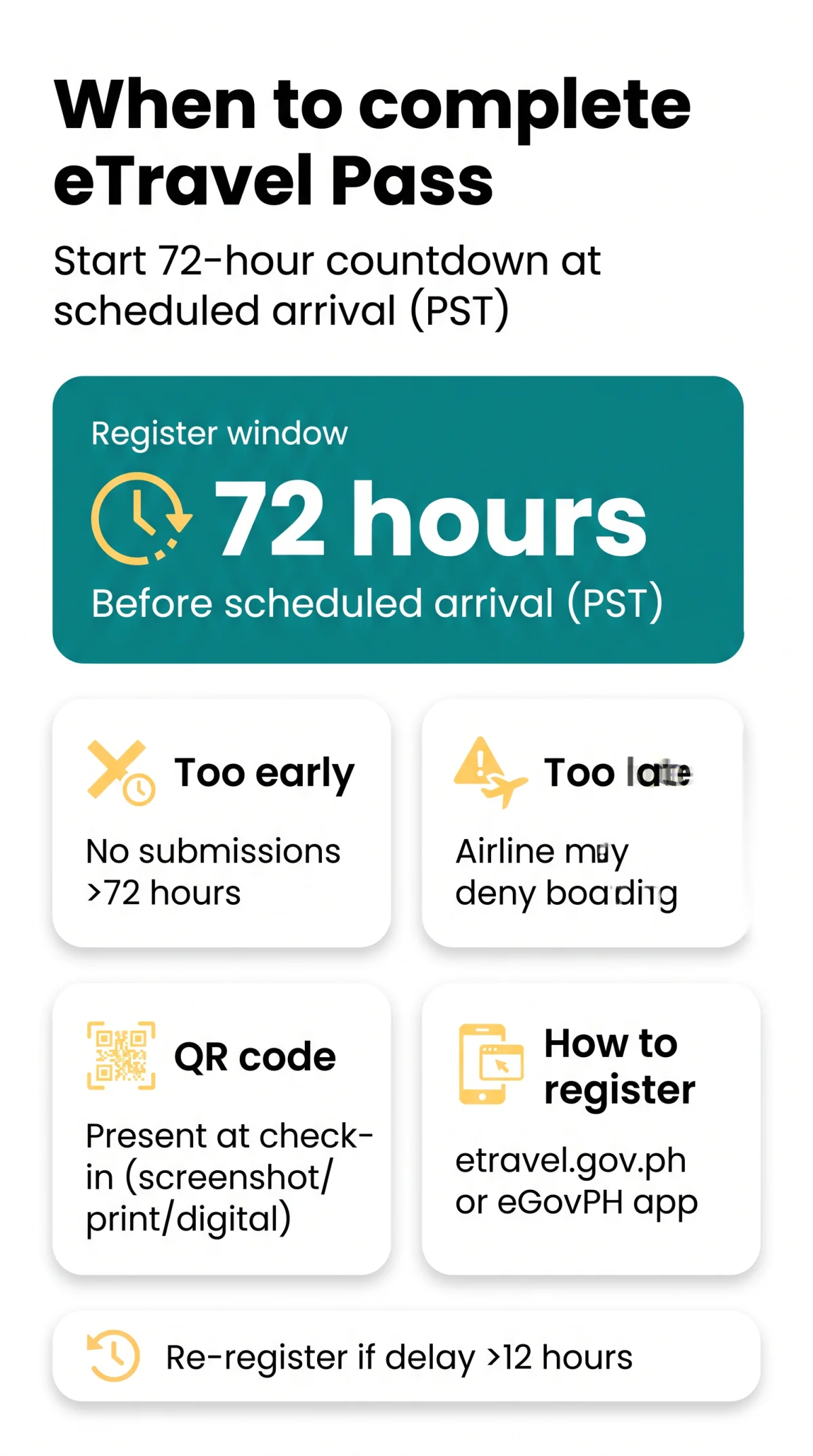
Early vs Late Registration and Edit Windows
The system blocks submissions more than 72 hours before arrival; late registration risks boarding denial.
- Path A – Too Early: The etravel.gov.ph portal physically blocks submission more than 72 hours before scheduled arrival. The system does not store any data, and no QR code is generated.
- Path B – Too Late: Airlines verify QR code timestamps at check-in. A traveller without a valid QR code faces denial of boarding. In January 2024, Emirates airline staff confirmed they checked that eTravel Pass submissions were within 72 hours of arrival in Manila (source: forum reports, January 2024).
- Edit Registration Window: After successful submission, travellers may edit their eTravel Pass data up until the point of processing by the Bureau of Quarantine (BOQ) and Bureau of Immigration. Once border control authorities verify the traveller, edits are locked. For instructions on updating your details, read our guide on how to change flight details on your eTravel Pass.
QR Code Validity, Flight Delays, and Emergency Options
The QR code determines if you go directly to immigration or undergo mandatory BOQ inspection. For help with retrieving, downloading, or printing your code, see our eTravel Pass QR code login and recovery guide.
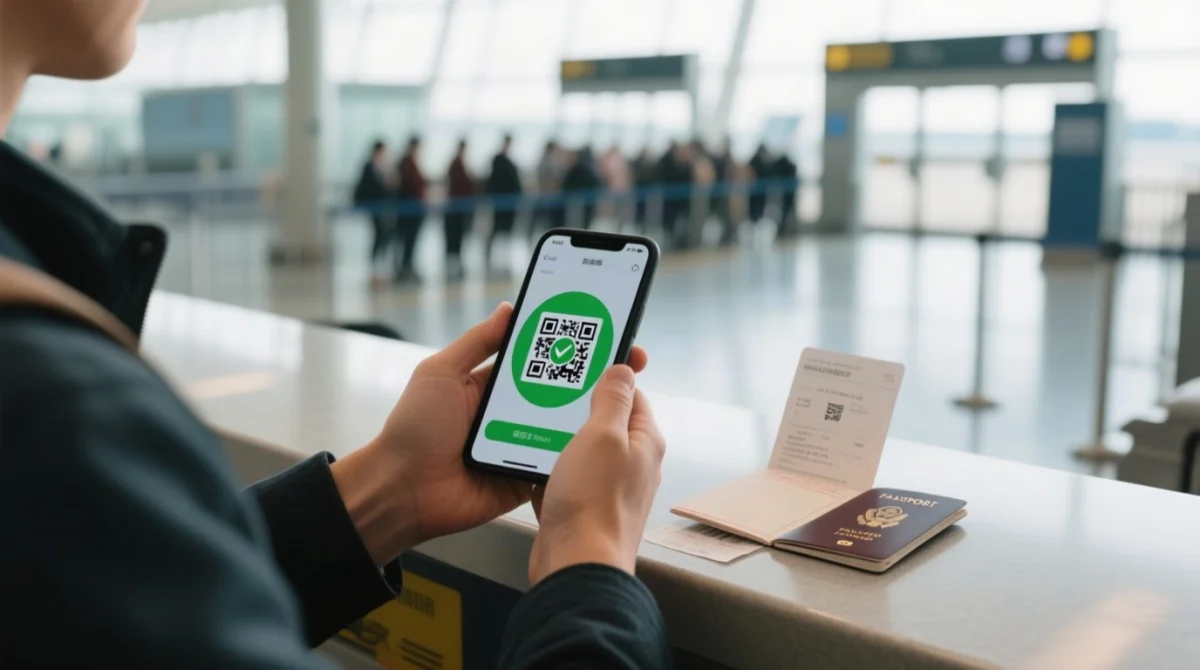
- Green QR code: Issued when submission is complete and correct, with no health flags. The traveller proceeds directly to immigration inspection.
- Red QR code: Issued for incomplete or incorrect data, illness within the past 30 days, or exposure to a communicable disease within the past 30 days. The traveller must undergo mandatory BOQ inspection before immigration formalities.
- QR code presentation: Must be presented prior to boarding. Accepted formats include screenshot, digital download, or printed copy. A traveller may hold two active QR codes but must present only one.
Does a QR Code Survive a Flight Delay?
QR code validity is tied to the registration timestamp, not the actual arrival time. A QR code generated within the 72-hour window remains valid if the flight is delayed. Re-register via etravel.gov.ph if the delay exceeds 12 hours or changes the calendar date of arrival.
Emergency Options If You Did Not Register Before Boarding
- Emergency registration kiosks may be available at Philippine ports of entry (NAIA Terminals 1-3, Mactan-Cebu International Airport). Learn more in our guide to airport kiosks and help desks
- Free airport Wi-Fi is generally available at major Philippine airports for last-minute registration
- Carry your passport to the kiosk for data entry
- Without a valid QR code, expect delays at immigration and possible additional health screening
Return Journey Registration and Pre-Trip Preparation
Foreign tourists departing the Philippines must complete a separate eTravel Pass within 72 hours before scheduled departure. The arrival QR code is not reusable. For a full walkthrough, read our eTravel Pass departure process guide.
The countdown starts from the scheduled departure time of the flight leaving the Philippines (e.g., Manila to London or Cebu to Singapore to London: from Manila/Cebu departure time).
UK traveller departure checklist:
Register online
Register at etravel.gov.ph within 72 hours before departure from the Philippines
Receive new QR code
Receive a new, separate QR code for the outbound flight
Present at check-in
Present the departure QR code during check-in at Manila/Clark/Cebu airport
Do not reuse arrival QR
Do not present your arrival QR code
Average form completion time is approximately 8-15 minutes. For a detailed breakdown of processing times, see our guide on how long it takes to get an eTravel Pass. Before you start, have ready: valid passport (passport number required), flight itinerary details (airline, flight number, dates), Philippine accommodation address (format: Hotel name, Street, City, Province – not UK postal code format), health declaration information, and a stable internet connection. If health documents must be uploaded, accepted formats are JPG, PNG, and PDF. Confirmation emails typically arrive within minutes of submission.
FAQ: eTravel Pass Timing and Technical Questions
Does the eTravel Pass QR code expire, and if so, when?
The QR code does not carry a printed expiry date. Its validity is anchored to the 72-hour registration window. As long as you registered correctly and your flight details remain unchanged, it stays valid for presentation at boarding and immigration. You may present it as a screenshot, digital download, or printed copy.
How long does it take to receive the confirmation email?
Confirmation emails typically arrive within minutes of submission. If you do not receive it, check your spam or junk folder and ensure the email address provided during registration is correct. This confirmation serves as your proof of compliance before the airline verifies your QR code at check-in.
What should I do if my QR code is not generating?
Try refreshing the external government portal at etravel.gov.ph, clearing your browser cache, or using a different device. Ensure your internet connection is stable and try again within the 72-hour window. The system may have been processing, so waiting and resubmitting often resolves the issue.
What file formats are accepted for health document uploads?
Accepted file formats include JPG, PNG, and PDF. Always check the external government portal for specific file size limits before attempting to upload any documents. Preparing these files in advance ensures you can complete your registration smoothly within the 72-hour timeframe.
FAQ: Eligibility, Exemptions, and General Rules
Is the eTravel Pass the same as the former One Health Pass?
Yes, the eTravel Pass replaced the earlier One Health Pass. It serves as the unified platform for health declaration and travel data collection managed by the Philippine government. The current system operates under the Ease of Doing Business Law for efficient service delivery.
Is the eTravel Pass registration genuinely free?
Yes, the external government portal does not collect or require any form of online payment. You should report any unofficial websites demanding fees to the Cybercrime Investigation and Coordinating Center at https://cicc.gov.ph/report/. Registration is completely free of charge for all arriving and departing passengers.
Are diplomatic passport holders exempt from eTravel registration?
Yes, foreign diplomats and their dependents, foreign dignitaries, 9(e) visa holders, and diplomatic or official service passport holders are exempt from the eTravel registration requirement. All other arriving and departing international passengers must complete the registration within the 72-hour window.
Can I use one QR code for a multi-destination itinerary within the Philippines?
Each international entry or departure requires a separate eTravel registration. Domestic flights within the Philippines do not require additional eTravel Passes.
Do I need the eTravel Pass for airside transit in Manila?
If you are connecting through a Philippine airport without clearing immigration, eTravel registration is generally not required. However, if you clear immigration during your layover, registration is mandatory. Verify your itinerary to confirm whether you will remain in the airside transit area.
Which government portal is the correct registration site?
The eTravel portal is https://etravel.gov.ph. The customs subdomain is https://customs.etravel.gov.ph. Do not use unofficial websites.