

Last updated: 14 September 2026. Always verify current requirements at etravel.gov.ph, as policies may change. This is an independent travel guide, not a government website.
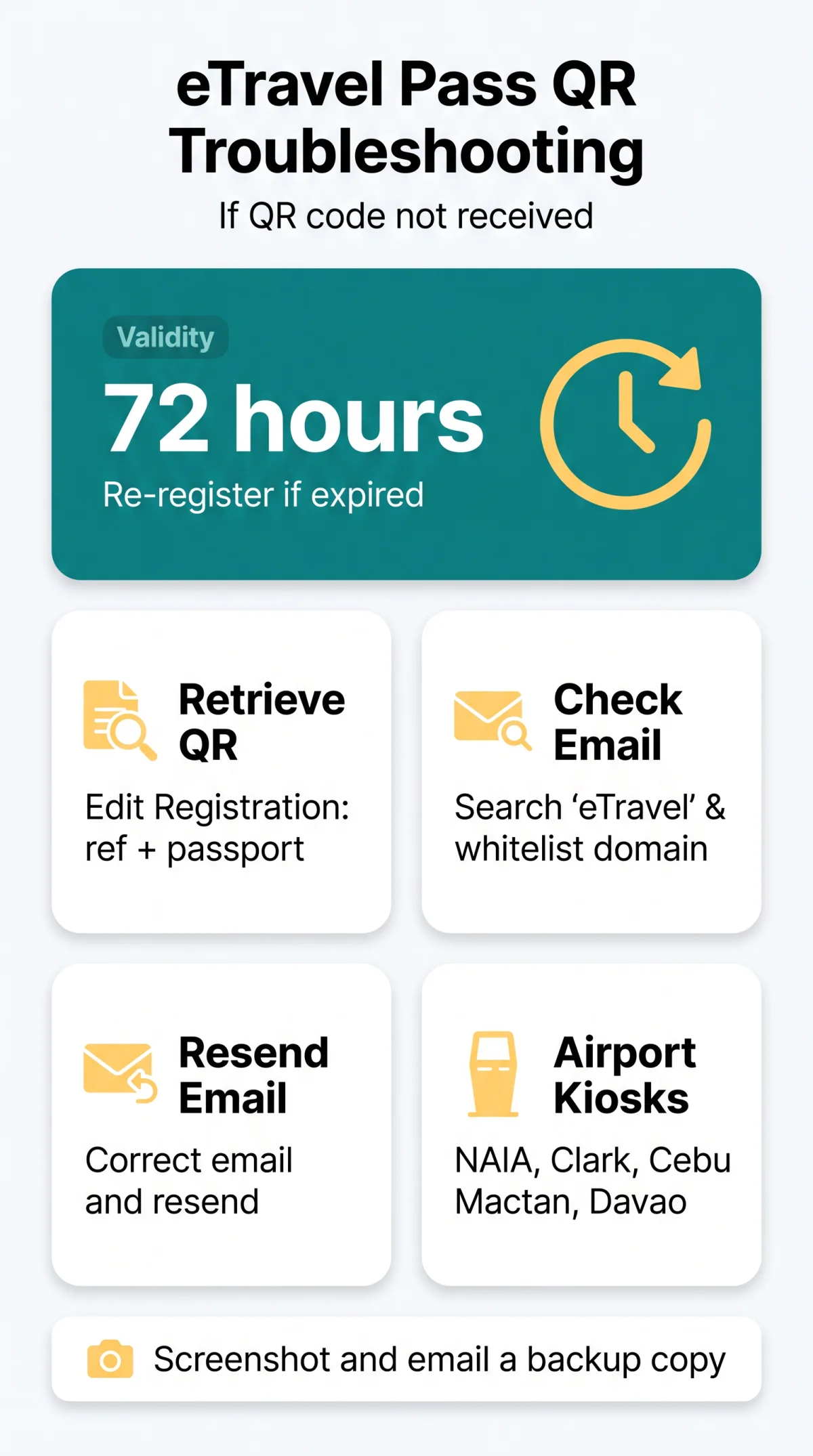
If your eTravel Pass Philippines QR code is not received, check your spam folder or retrieve it via the Edit Registration tab using your reference number and passport number at etravel.gov.ph. The eTravel Pass is free, mandatory, and requires registration within 72 hours before arrival.
The most frequent cause is a typo in your email address or spam filtering. Instead of starting a new application, log into etravel.gov.ph, open Edit Registration, enter your reference number and passport number, and download the QR code directly from the portal.
If the QR code has expired due to the 72-hour validity window, re-registration may be necessary rather than a simple amendment. Philippine airports including NAIA Terminals 1, 2, and 3, Clark, Cebu Mactan, and Davao provide free eTravel registration kiosks with Wi-Fi as a last resort for arriving passengers who still do not have a QR code.
What Is the Philippine eTravel System?
The Philippine eTravel system is a free, mandatory digital travel pass registered at etravel.gov.ph within 72 hours before arrival. The eTravel Pass replaces paper arrival cards and collects accurate travel information for all passengers entering or leaving the Philippines. Registration is FREE and the QR code is generated upon form submission. The eTravel Pass Philippines QR code not received error usually stems from an incorrect email or incomplete form on the portal at etravel.gov.ph.
Registration is mandatory for inbound foreign travellers, including UK tourists, and outbound Filipino nationals. Foreign nationals leaving the Philippines and holders of official or service passports are exempt. Registration steps: select ARRIVAL or DEPARTURE, enter personal info (must match passport exactly), provide travel details including destination or origin country and travel history, complete the health declaration, and receive your QR code. The portal domain must end in .gov.ph; any site requesting payment is a scam, as the eTravel Pass is free of charge under the Ease of Doing Business Law (R.A. 11032), which promotes efficient delivery of government services.
eTravel QR Code Not Received: Step-by-Step Recovery Guide
Retrieve a missing eTravel QR code by logging into etravel.gov.ph with your reference number and passport number via the Edit Registration tab.
The eTravel Pass Philippines QR code not received error occurs when the email goes to spam or the address is wrong. Follow these five steps:
Check your spam, junk, and promotions folders
Search your inbox for “eTravel” or “etravel.gov.ph” and whitelist the domain for future correspondence.
Retrieve your QR code via the Edit Registration tab
Navigate to etravel.gov.ph, enter your reference number and passport number to pull up your submission, then download or screenshot the QR code directly from the portal.
Resend the confirmation email
Verify the email address on file, correct any typo, and trigger a resend from the portal interface.
Re-register if your QR code has expired
The code is valid for 72 hours; if your flight was rescheduled beyond that window, submit a fresh application.
Save and back up your QR code
Screenshot or download it on the confirmation screen, email a copy to yourself, print a paper backup, and store it in the eGovPH app.
Common eTravel Form Errors and How to Fix Them
Common errors: passport mismatches, missing middle-name fields, uploads >2 MB, data-not-saving due to cache.
| Error | Cause | Fix |
|---|---|---|
| Passport number mismatch | Data entered does not match passport exactly | Re-enter with no spaces or typos; must match passport precisely |
| File too large | Upload exceeds ~2 MB limit | Compress to accepted formats: JPEG, PNG, PDF |
| Session expired | Cookies interfering with active session | Clear cookies and re-login to the eTravel portal |
| Wrong email address | Typo prevents QR delivery to inbox | Use Edit Registration tab on etravel.gov.ph to correct and resend |
| Missing middle name | UK passports without a middle name; field entered as “N/A” | Leave the field blank, not “N/A” |
| Data not saving | Browser cache blocking form submission | Clear cache; use latest Chrome, Safari, or Edge |
Missing or Incomplete Fields
Incomplete submissions cause the eTravel Pass Philippines QR code not received error. Children need separate registrations; passport numbers must match exactly with no spaces.
Upload Failures: Supported Formats and File Sizes
Accepted formats are JPEG, PNG, and PDF with a maximum file size of ~2 MB. Compress files before uploading. The eGovPH app provides an alternative registration channel if the portal rejects your upload.
Data Not Saving or Page Freezing Mid-Submission
Data-not-saving errors occur when browser cache or cookies interfere with form submission. Clear your cache, disable ad-blockers during registration, and use the latest versions of Chrome, Safari, or Edge.
Browser and Device Compatibility Fixes
For Chrome: Settings > Privacy > Clear browsing data. For Safari: Preferences > Privacy > Manage Website Data. For Edge: Settings > Clear browsing data. iPhone users should use Safari; Android users should use Chrome. Desktop registration is recommended over mobile for complex forms. If the eTravel Pass Philippines QR code not received issue persists, switching from mobile to desktop often resolves session conflicts.
Green vs Red QR Code: What Each Colour Means
A green eTravel QR code clears standard immigration; a red QR code triggers Bureau of Quarantine inspection on arrival in the Philippines.
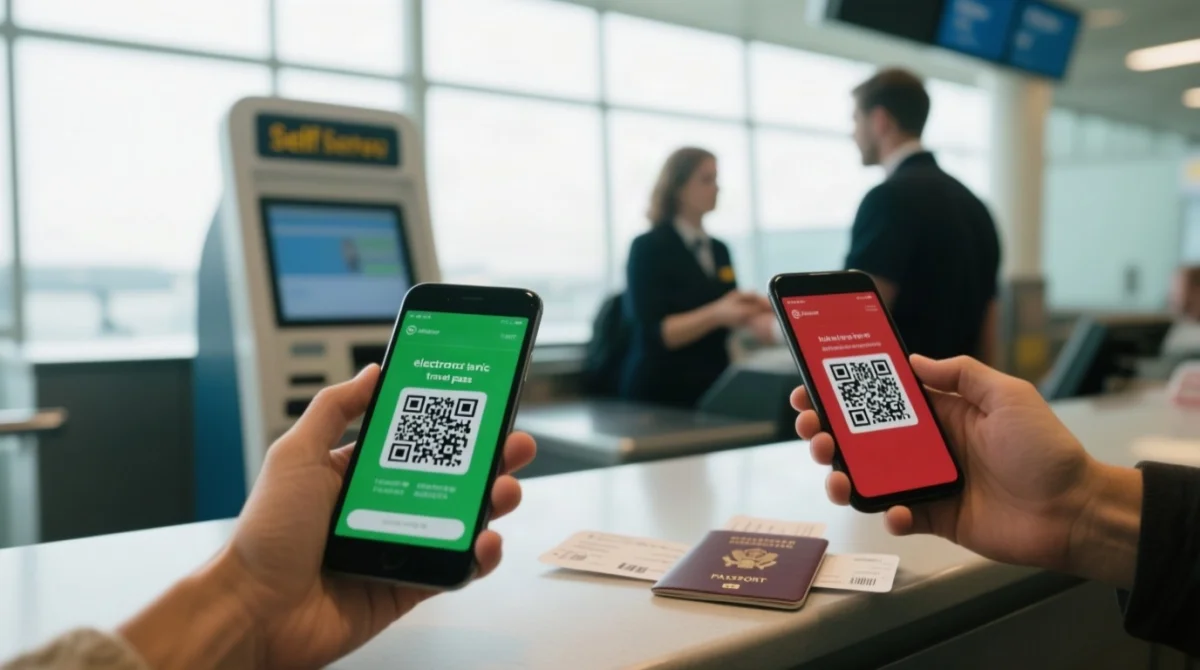
An incomplete health declaration can turn your eTravel Pass QR code red. Green QR = cleared; proceed through standard immigration. Red QR = Bureau of Quarantine (BOQ) inspection triggered by missing vaccination records or incomplete health declarations. On arrival, red codes lead to secondary screening and a potential quarantine hold. Double-check all fields and upload supporting documents before submitting to avoid the eTravel Pass Philippines QR code not received error escalating into a red code.
Airport Assistance: Last Resort If You Still Don’t Have a QR Code
Philippine airports including NAIA T1/T2/T3, Clark, Cebu Mactan, and Davao provide free eTravel registration kiosks and Wi-Fi for arriving passengers without a QR code.
| Airport | Terminals | Notes |
|---|---|---|
| NAIA (Manila) | T1, T2, T3 | Free Wi-Fi; BI staff on-site |
| Clark | Main terminal | Free Wi-Fi; kiosk available |
| Cebu Mactan | Main terminal | Free Wi-Fi; kiosk available |
| Davao | Main terminal | Free Wi-Fi; kiosk available |
A passport is required for identity verification at all kiosks. Bureau of Immigration staff can assist with on-the-spot registration if the eTravel Pass Philippines QR code not received issue remains unresolved.
Frequently Asked Questions
How long is the eTravel QR code valid after I register?
The QR code is valid for 72 hours. If your flight is delayed beyond that, re-register at etravel.gov.ph.
Can I edit my eTravel registration after submitting it?
Yes. Log into etravel.gov.ph, use the Edit Registration tab, enter your reference number and passport number to retrieve your submission, and amend fields such as travel details or email address. If amendment is not possible, start a fresh registration.
I used a wrong email address. Can I still get my QR code?
Yes. Use the Edit Registration tab at etravel.gov.ph with your reference number and passport number to retrieve your QR code directly, then correct the email and resend.
Do children need a separate eTravel registration and QR code?
Yes. Children travelling with family must have their own separate eTravel registration and QR code, regardless of age.
What does a red eTravel QR code mean at Philippine immigration?
A red QR code requires Bureau of Quarantine (BOQ) inspection on arrival, triggered by incomplete health declarations or missing vaccination records. A green QR code means you are cleared.
Is the eTravel Pass free, or do I need to pay?
The eTravel Pass is completely free. Only use the.gov.ph domain; third-party sites may charge fees fraudulently.
What documents do I need at the airport eTravel kiosk?
You need your passport for identity verification. Kiosks at NAIA T1/T2/T3, Clark, Cebu Mactan, and Davao offer free Wi-Fi for on-site registration.
Who can I contact if none of the troubleshooting steps work?
Escalate to the Bureau of Immigration or eTravel support via the portal at etravel.gov.ph, or seek assistance through the eGovPH app.
My form keeps showing “session expired”. What should I do?
Clear cookies, disable ad-blockers, and re-login using the latest Chrome, Safari, or Edge. Switch to desktop if on mobile.
I’m travelling from the UK. Any special requirements for British passport holders?
UK passports typically do not include a middle name. Leave the middle name field blank, not “N/A”. Ensure all other data matches your passport exactly.