

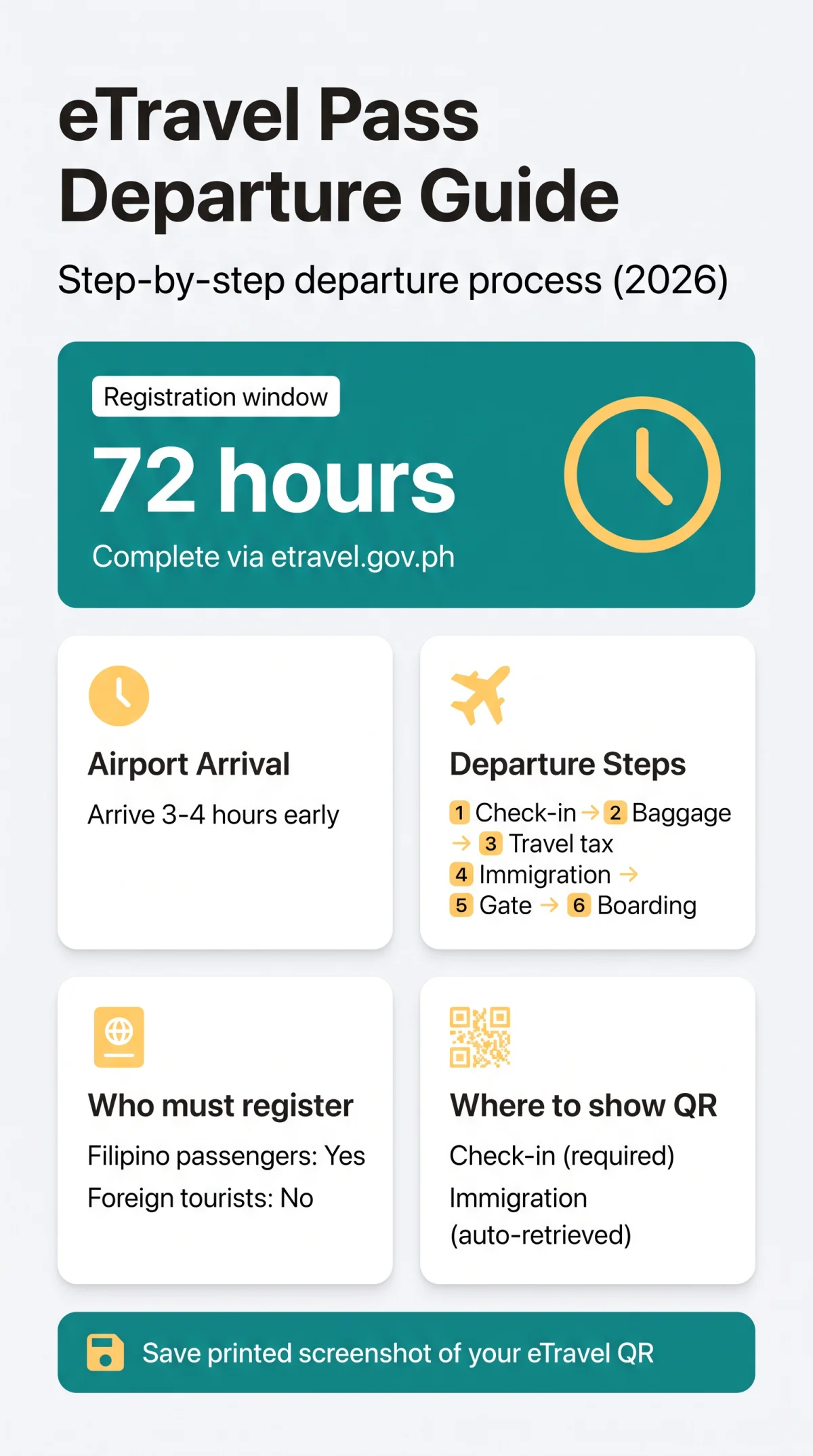
The eTravel Pass Philippines departure process is a free digital registration replacing paper departure cards. It generates a QR code for airport processing. Departing foreign tourists are exempt but should understand the clearance sequence. This guide covers every checkpoint, from check-in to boarding. Registration must be completed within 72 hours before departure via the etravel.gov.ph portal.
The eTravel Pass Philippines departure process involves six steps: arrive at the airport 3-4 hours early, check in at the airline desk showing your eTravel QR code, drop off baggage, pay the travel tax, pass through immigration exit control where your eTravel QR is scanned automatically, then proceed to the boarding gate for final verification.
What Is eTravel and Who Must Register Before Departure (2026)
eTravel relies on the Philippine Travel Information System, a free platform that replaced paper departure cards for border control and health surveillance. Established under the Ease of Doing Business Law (R.A. 11032), the system is accessible at etravel.gov.ph or via the eGovPH app on Android and iOS. Account creation requires an email address and 6-digit OTP verification; passwords need minimum 8 characters with at least one uppercase and one lowercase letter. Use only the.gov.ph domain; report fraudulent sites to the CICC at cicc.gov.ph/report.
Foreign tourists departing the Philippines are exempt from eTravel departure registration. The requirement applies to departing Filipino passengers, including tourists, OFWs, balikbayans, and crewmembers. Foreign diplomats, 9(e) visa holders, and service passport holders are also exempt.
Who Must Complete eTravel Before Departure
| Category | Required? | Notes |
|---|---|---|
| Filipino passengers (tourists, OFWs, balikbayans, crew) | Yes | Mandatory eTravel registration |
| Foreign tourists & residents | No | Exempt from eTravel departure registration |
| Diplomats, 9(e) visa, service passport holders | No | Exempted per etravel.gov.ph |
| Children (including infants) | Yes (if Filipino) | Individual eTravel registration; proxy submission allowed for family |
When to Register – The 72-Hour Window
Registration is permitted within 72 hours (3 days) before departure. The seat number field is optional, so you can register before check-in opens. Data remains editable until border control authorities (Bureau of Quarantine and Bureau of Immigration) verify your record. If you submitted multiple eTravel registrations, present only one QR code during inspection.
Step-by-Step Airport Departure Process (2026)
Follow this six-step sequence:
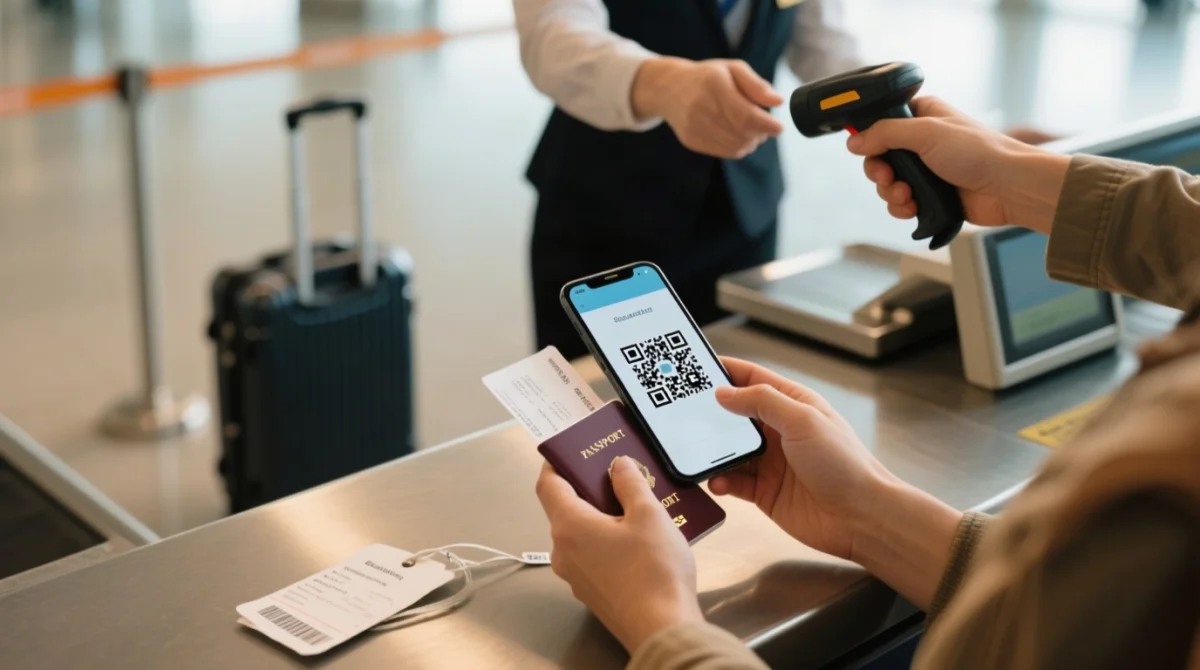
Arrive at the airport (T-3 to T-4 hours)
Arrive 3-4 hours before international flights to allow for check-in queues, tax counters, and immigration processing.
Check-in desk
Show the airline agent your eTravel QR code (paper or phone). The agent will not issue your boarding pass until this proof of registration is confirmed.
Baggage drop
Sub-step of check-in; the agent may re-confirm your eTravel QR code before accepting checked luggage.
Travel Tax & Terminal Fee
Philippine Travel Tax is paid separately at a dedicated TIEZA counter (≈₱1,620 economy, ≈₱2,700 business), not through the eTravel system. Terminal fees may already be included in your airline ticket; verify with your carrier.
Immigration exit counter
Hand your passport to the Bureau of Immigration officer; the system auto-retrieves your eTravel data via passport scan (keep a backup screenshot). The Bureau of Quarantine reviews your Electronic Health Declaration Card (eHDC). A green QR code lets you proceed directly; a red QR code requires further BOQ inspection. You receive an exit stamp upon clearance. Eligible Philippine passport holders may use e-Gates at NAIA Terminal 3: scan your passport at the kiosk, look into the camera for facial verification, and proceed.
Departure gate & boarding
A final eTravel QR check may occur at the gate (airline-dependent) before you board.
Where to Show Your QR Code and What to Expect at Immigration (2026)
You manually show the eTravel QR code at check-in and the gate. Immigration automatically retrieves it from your passport scan.
| Checkpoint | Show eTravel QR? | Method | Notes |
|---|---|---|---|
| Airline check-in counter | ✅ YES | Manual – printed or digital | Mandatory for boarding pass issuance |
| Baggage drop counter | ✅ If asked | Manual – some airlines re-verify | Agent may scan boarding pass only |
| Bureau of Immigration exit | 🔄 AUTO | System retrieves upon passport scan | Keep backup screenshot for spot checks |
| Boarding gate | ✅ If asked | Manual – airline-dependent | Some carriers perform final verification |
If the system cannot find your record, retrieve it via etravel.gov.ph/search (Edit Registration tab, requires date of birth). Hold ready: passport, printed or screenshot eTravel QR, return ticket, and accommodation proof.
Green vs Red QR Code – What It Means
Data complete → green QR code → proceed directly to immigration. Incomplete data, recent illness, or exposure to communicable disease in the past 30 days → red QR code → mandatory BOQ inspection first.
Common Questions from Immigration Officers
Expect questions on destination country, length of stay, and purpose of travel (tourism, business, or employment). Workers may be asked about their employer or sponsor. During a departure from NAIA Terminal 1 in March 2026, the immigration officer did not request the eTravel QR code manually; it was auto-retrieved from the passport scan. However, the airline check-in agent specifically required the QR on the phone before issuing the boarding pass.
If You Are Pulled Aside for Secondary Inspection
Common triggers include solo Filipino travelers, incomplete documents, and itinerary inconsistencies (anti-trafficking screening). Prepare proof of funds, employment letter, hotel booking, and return ticket. Answer clearly and provide requested documents.
Saving Your QR Code for Offline Access (2026)
Save a screenshot or printed copy of your eTravel QR code as airport Wi-Fi can be unreliable. On iOS, press power + volume up; on Android, press power + volume down. Download the PDF from your confirmation email and print a physical copy as ultimate backup. The eTravel QR code is delivered to your registered email address after submission. Avoid dependency on airport public Wi-Fi for accessing your eTravel registration.
Special Notes for OFWs, Families and Travel Tax (2026)
Special Notes for OFWs
Departing Overseas Filipino Workers must complete eTravel registration and hold a valid Overseas Employment Certificate (OEC) issued by the Department of Migrant Workers (DMW). These two systems operate independently, so prepare both documents separately before arriving at the airport.
Do Children Need Their Own Registration?
Yes. Each child, including infants, requires an individual eTravel registration. Parents or guardians may complete the form on behalf of children via proxy submission permitted through the eTravel portal.
Travel Tax, e-Gate and Passport Validity
Automated e-Gates at NAIA are primarily available for Philippine passport holders; check signage at immigration for eligibility. The Bureau of Immigration may enforce minimum passport validity at exit, and your destination country may require 6+ months remaining validity. During peak travel periods (December-January, Holy Week), immigration queues at NAIA can exceed 90 minutes; allow an extra hour for processing.
FAQ
What happens if you forget your eTravel QR code at the Philippines airport?
Use your date of birth at etravel.gov.ph/search or show the email confirmation on your phone. If both fail, ask the airline desk to verify your eTravel registration.
How long does Philippines departure immigration take with eTravel?
Individual processing takes 1-3 minutes with eTravel (data auto-retrieved). Total queue time varies from 15-60 minutes. Allow 3-4 hours total airport buffer for your departure.
Can I edit my eTravel registration after submitting it?
Yes, via the Edit Registration tab at etravel.gov.ph/search, as long as you have not been processed and verified by border control authorities (Bureau of Quarantine and Bureau of Immigration).
Does eTravel cost anything?
No. The eTravel system is completely free and does not collect any online payment. Report any site charging fees for eTravel registration to the CICC at cicc.gov.ph/report.
Can I use the e-Gate to exit the Philippines?
Automated e-Gates at NAIA are primarily available for Philippine passport holders. Eligibility depends on the terminal. Check signage upon arrival at immigration to see if e-Gate access is available for your eTravel processing.
What are the passport validity requirements for departure from the Philippines?
The Bureau of Immigration may enforce minimum passport validity rules at exit. Your destination country may require 6+ months validity. Always check both Philippine exit and destination entry requirements before completing your eTravel registration.
Can I register for eTravel before my check-in opens?
Yes. The eTravel form can be completed anytime within 72 hours before departure. The seat number field is optional, so no check-in data is needed to finish your eTravel registration.
Do I need to show my eTravel QR code at the boarding gate?
Some airlines perform a final QR verification at the boarding gate. This is airline-dependent. Keep your eTravel QR code accessible until you board the aircraft.
What is the Philippine Travel Tax and do I pay it through eTravel?
The Philippine Travel Tax is a separate government levy (≈₱1,620 economy / ≈₱2,700 business) paid at dedicated TIEZA counters or online, not through the eTravel system.
Is there a scam risk with eTravel websites?
Yes. The only legitimate eTravel website is etravel.gov.ph (ending in.gov.ph). Any site charging fees is fraudulent. Report scams to the CICC at cicc.gov.ph/report.
Last reviewed: 14 September 2026. This guide is updated quarterly based on announcements from the Bureau of Immigration and the Department of Information and Communications Technology (DICT).