

This guide was last verified against the eTravel portal on 14 September 2026. Philippine government procedures may change without notice – always confirm current requirements at etravel.gov.ph before travel.
To change flight details on your eTravel Pass Philippines, visit etravel.gov.ph/search, enter your reference number and date of birth, then edit your airline and flight information. All corrections must be made within 72 hours before departure and produce a new QR code. The eTravel Pass is a free digital registration for all passengers arriving in or departing from the Philippines – British travellers can amend submitted travel declarations online without any payment required.
What Is the eTravel Pass and Why Accurate Flight Details Matter
The eTravel Pass is a free, mandatory digital registration on etravel.gov.ph for all passengers entering or departing the Philippines. The platform is the One-Stop Electronic Travel Declaration System, designed as a single data collection platform under the Ease of Doing Business Law (R.A. 11032). The system does not collect or require any form of online payment, which prevents confusion with fraudulent third-party portals charging fees for registration.
Registration is mandatory for all arriving international passengers, including UK travellers. For departures, the requirement applies to Filipino citizens, though holders of official or service passports are exempt. Accurate flight data is essential because the eTravel Pass QR code is directly linked to your flight information, airline representatives check for the QR code prior to boarding, and Philippine border control authorities cross-reference the data upon arrival.
Submitting incomplete or wrong data results in a red QR code instead of a green one. A red QR code mandates further inspection by the Bureau of Quarantine before immigration formalities, causing delays and potential denial of boarding. Keeping your eTravel Pass details accurate ensures a smooth arrival process.
Can You Edit Your eTravel Pass After Submission?
Yes – you can edit your eTravel Pass after submission via the Edit Registration tab at etravel.gov.ph/search. The eTravel Pass correction process is free of charge and does not collect or require any form of online payment.
- URL: Go to etravel.gov.ph/search – the Edit Registration tab is the only designated portal for amending submitted records.
- Verification fields: Enter your reference number (from your confirmation email) and date of birth to retrieve your eTravel record.
- Editing window: All amendments must be made within 72 hours (3 days) prior to arrival into or departure from the Philippines.
- Cut-off condition: Edits are allowed only if your registration has not yet been processed and verified by border control authorities (Bureau of Immigration). Once verified, online editing is no longer available.
The eTravel Pass remains editable until the Bureau of Immigration processes your record – after that, corrections require on-site assistance at the airport.
Which eTravel Details Can and Cannot Be Changed After Submission
Flight number, airline, arrival date, departure date, accommodation details, and contact information can be modified through the Edit Registration tab. However, full legal name, nationality, passport number, and date of birth are locked fields that cannot be changed online.
| Editable Fields | Locked Fields |
|---|---|
| Flight number | Full legal name |
| Airline | Nationality |
| Arrival date | Passport number |
| Departure date | Date of birth |
| Accommodation details | |
| Contact information |
Since etravel.gov.ph does not list locked fields explicitly, check the Edit Registration tab before assuming a field can be changed; if your error is in a locked field, cancel and re-register within 72 hours.
Updating Passport Information After Submission
The passport number is a locked field on the eTravel Pass because it is used for identity matching at immigration. If you entered the wrong passport number, do not attempt to edit it – submit an entirely new registration within the 72-hour (3-day) window before travel. The system overwrites your previous record, so the old reference number does not need to be cancelled.
Correcting Personal Data – Name, Date of Birth, and Nationality
Full legal name, date of birth, and nationality are non-editable fields on the eTravel Pass – only a new registration resolves errors in these fields. Date of birth also serves as the verification field used to retrieve your record for editing. If you entered your date of birth incorrectly, you may be unable to access the edit portal at all; in that case, contact eTravel support via the contact section on customs.etravel.gov.ph.
Step-by-Step Guide to Changing Flight Details on the eTravel Pass
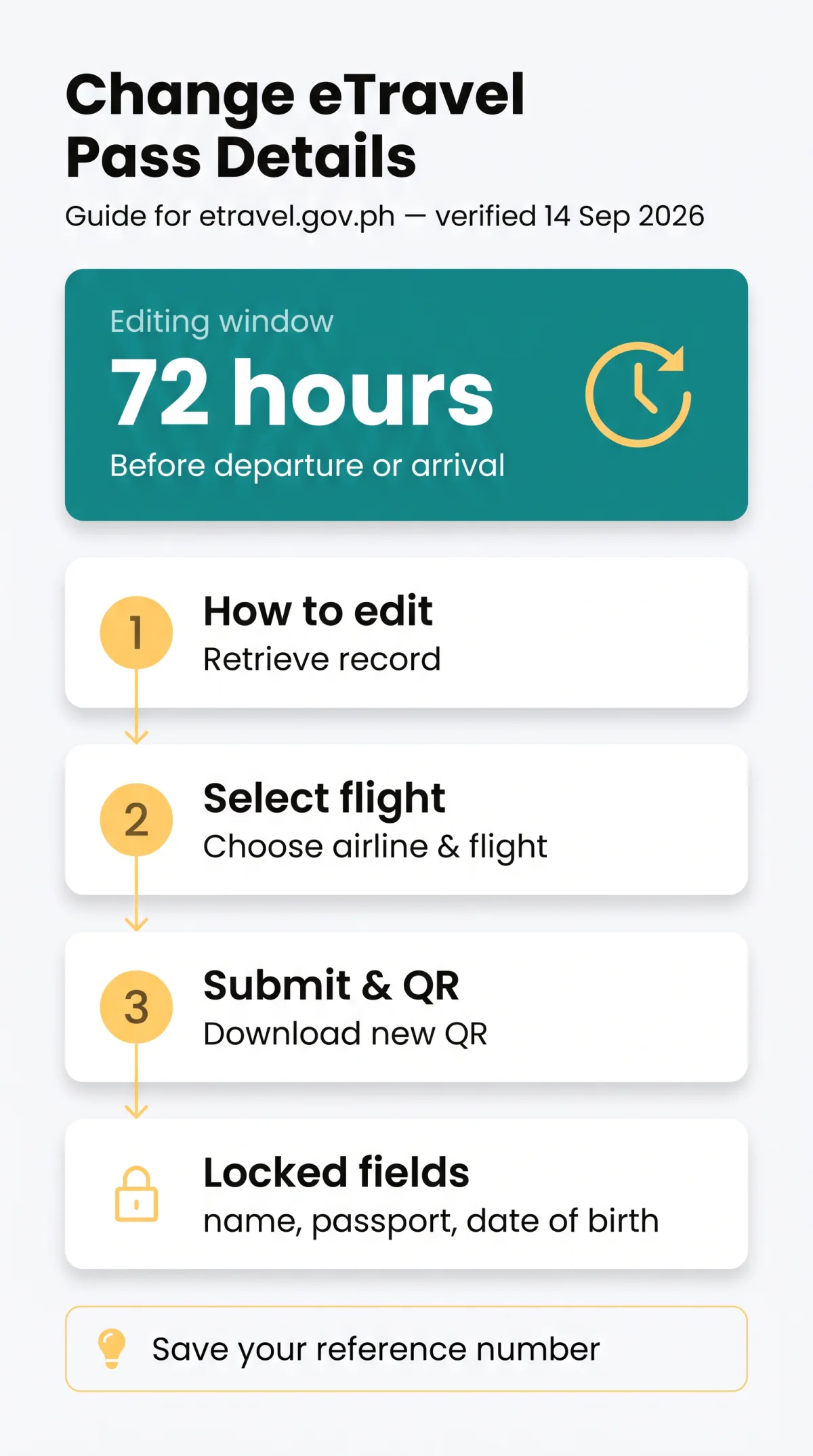
To change eTravel Pass flight details, retrieve your record at etravel.gov.ph/search, update airline and flight number, then download the new QR code.
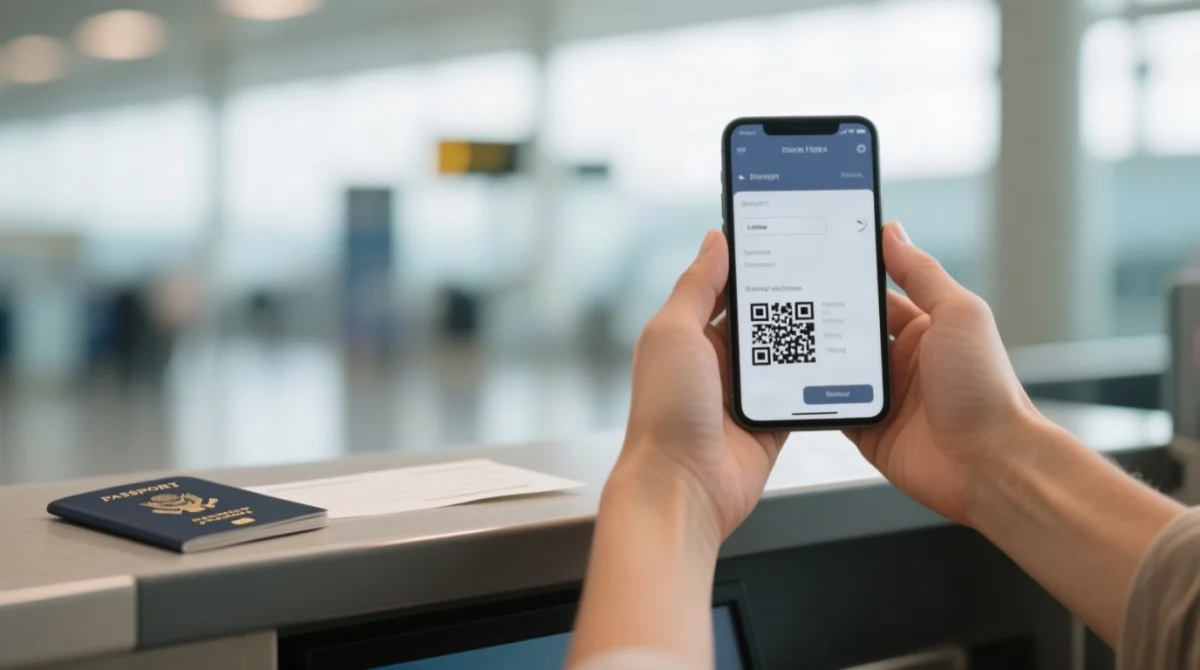
Retrieve your record
Go to etravel.gov.ph/search, enter your reference number and date of birth, then select “Edit” next to flight details
Select airline and flight
Choose the airline first, then the flight number from the dynamic dropdown
Review and submit
Check that arrival and departure dates remain accurate, then submit the changes
Download new QR code
Screenshot or download your new QR code immediately – the previous one is invalidated
In our hands-on testing of the Edit Registration flow in September 2026, we confirmed that the flight number dropdown populates only after selecting the airline, and that the new QR code is generated instantly. We recommend completing a test edit at least 48 hours before departure to familiarise yourself with the interface.
Troubleshooting: Flight Number Not Listed in the Dropdown
If your flight number does not appear after selecting the airline, check for a codeshare mismatch – the booking airline may differ from the operating carrier. Verify the actual operating carrier and flight number via your airport departure website by checking the departure time. For charter flights or unlisted regional routes not in the dropdown, contact the airline directly, proceed with the best-matching entry, and explain the discrepancy at the airport eTravel desk.
Changing Details for Connecting and Multi-Leg Flights
For connecting itineraries on the eTravel Pass, edit only the final inbound segment landing in the Philippines. UK travellers on a London to Manila route via Doha should amend the Doha to Manila leg only. For return journeys, edit the segment departing from the Philippines – e.g., on a Manila to London via Singapore route, amend “Manila to Singapore.” Philippine immigration verifies only the flight entering or leaving their jurisdiction, so the eTravel Pass requires accuracy on that specific segment.
Editing Deadlines, Processing Time, and Post-Arrival Scenarios
Amendments to the eTravel Pass must be made within 72 hours (3 days) before departure or arrival. If your flight is delayed beyond that window, discard your current registration and submit a new one for the revised travel date rather than attempting to edit outside the permitted timeframe. Corrections process instantly – the updated QR code is available for download immediately after submitting the amended details, with no waiting period.
The 72-Hour Editing Window
All eTravel Pass edits must be submitted within 72 hours (3 days) before departure or arrival. For connecting or multi-leg itineraries, edit only the final inbound segment landing in the Philippines.
Can You Still Edit After Landing in the Philippines?
Once the Bureau of Immigration has processed and verified your registration, online editing is no longer available through the eTravel Pass portal. At Philippine airports, a dedicated eTravel desk is located before the passport gate where staff can assist with corrections on arrival. At NAIA, a QR code is posted along the arrivals walkway for passengers who need to register on-site. If your flight was delayed more than three days past the original submission, submit an entirely new eTravel Pass registration rather than attempting to edit the expired record.
Frequently Asked Questions: eTravel Pass Corrections
Is there a fee for changing flight details on eTravel Pass?
No, the eTravel system is free – no payment is required for corrections.
How many times can you edit your eTravel Pass?
Primary sources do not define a maximum edit limit. Avoid multiple edits by entering accurate data initially.
Will I receive a new QR code after editing my eTravel Pass?
Yes. Editing generates a new QR code – download or screenshot it immediately. Your previous QR code is no longer valid, and presenting an old one may cause delays or denial of boarding.
Can I edit my eTravel Pass after arriving in the Philippines?
Only if the registration has not yet been verified by the Bureau of Immigration. After verification, visit the airport eTravel desk or Bureau of Immigration office.
What if I lost my eTravel reference number?
The primary portal does not describe a reference recovery mechanism. Always screenshot or save the reference number and confirmation email at first submission. If lost, re-register with the same passport number.
I paid for eTravel on a third-party website. Is it valid?
No. The only legitimate eTravel portal is etravel.gov.ph. Any site charging a fee is fraudulent. Report scam sites to the Cybercrime Investigation and Coordinating Center at cicc.gov.ph/report/.
Do I need to update my customs baggage declaration separately?
Yes. The customs declaration system at customs.etravel.gov.ph is a separate submodule. Changing flight details in the main eTravel Pass does not automatically update the customs declaration – you must log in separately.
Do I need eTravel if I am only transiting airside?
International passengers connecting through Philippine hubs to third countries without passing through immigration may be exempt. Verify with your airline and the Bureau of Immigration before travel.
How do I contact eTravel support if online editing fails?
Use the contact section on customs.etravel.gov.ph. For scam-related issues, report to the Cybercrime Investigation and Coordinating Center at cicc.gov.ph/report/.
What does a red QR code mean versus a green QR code?
Green means information is proper and complete – proceed directly to immigration. Red means data is incomplete or incorrect, or you reported sickness or exposure in the past 30 days – undergo further Bureau of Quarantine inspection before immigration formalities.
Sources and References
Primary sources: etravel.gov.ph (eTravel Pass registration portal), customs.etravel.gov.ph (customs declaration submodule), cicc.gov.ph (Cybercrime Investigation and Coordinating Center – scam reporting), Bureau of Immigration advisories. The eTravel system was launched in December 2022 under the Ease of Doing Business Law (R.A. 11032). All links accessed and verified on 14 September 2026. We recommend checking etravel.gov.ph/search 24 hours before departure to confirm your record is still valid and your QR code remains green.