

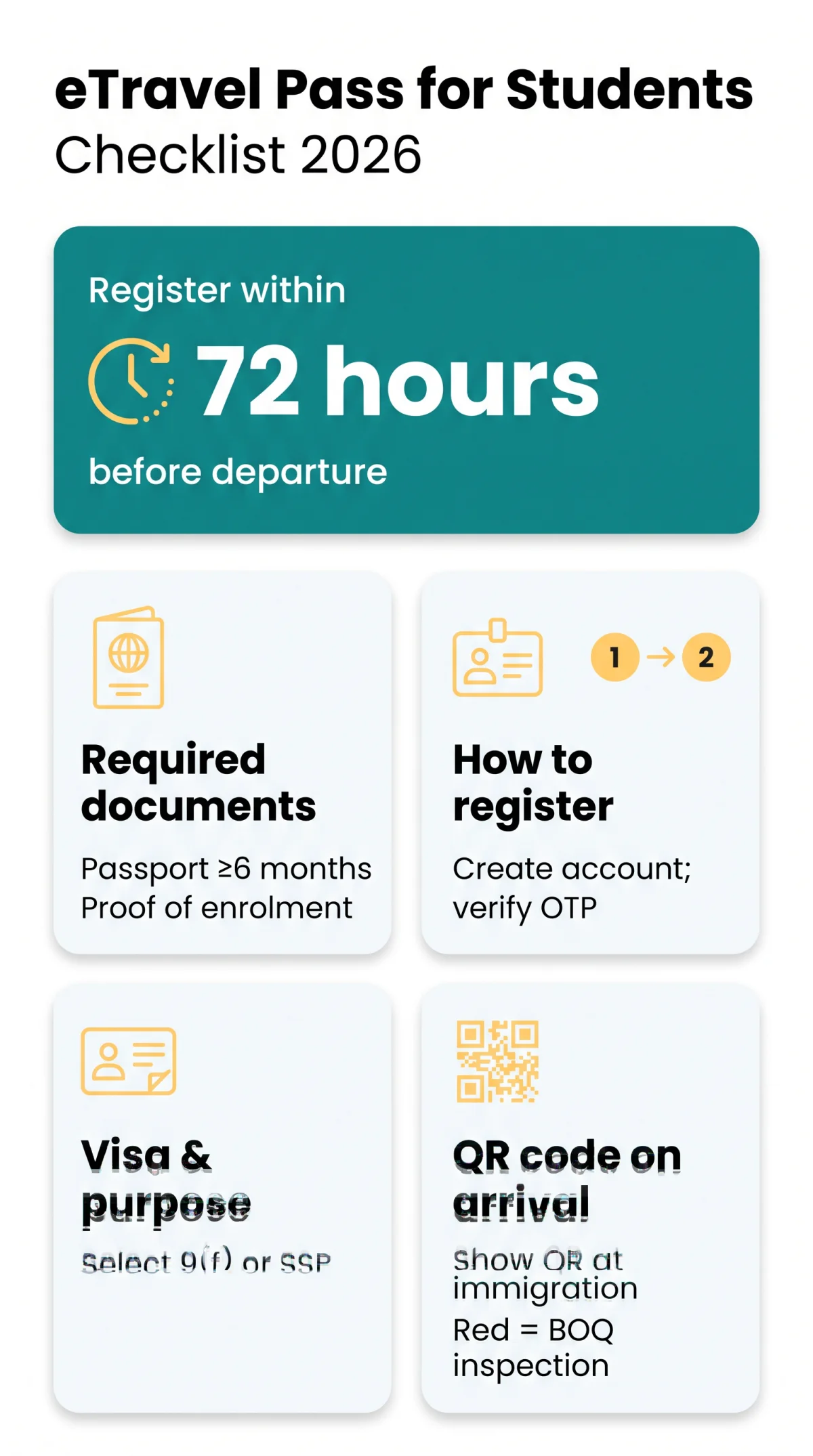
The eTravel Pass Philippines for students is a free, mandatory digital travel declaration required for all international students entering the country. Students must register within 72 hours before departure at etravel.gov.ph using a valid passport with at least 6 months validity. Registration generates a QR code presented at immigration upon arrival.
The eTravel system replaces paper arrival cards and applies to all student travellers, including exchange visitors and 9(f) or SSP holders. As of 2026, it remains the primary method for entry streamlining and health surveillance. The legal basis is Republic Act No. 11032 (Ease of Doing Business Law). Unlike Singapore’s SG Arrival Card or Malaysia’s MDAC, the Philippine eTravel integrates border control, health surveillance, and customs declaration into a single digital platform.
This guide was last verified on 14 September 2026 against the eTravel portal and Bureau of Immigration announcements.
eTravel Registration and Visa Details for Students
Students must select ‘education’ as the travel purpose and enter their specific visa type, whether a 9(f) student visa or Special Study Permit (SSP), in the eTravel Pass Philippines for students form before departure. UK students should note that their UK student visa or BRP does not exempt them from Philippine entry requirements; British citizens holding a 9(f) visa must still complete eTravel registration.
Create an account
on the eTravel System via etravel.gov.ph/signin, or sign in using the eGovPH app as an alternative method. Account verification uses a six-digit OTP sent to your active email.
Enter passport details
Each eTravel registration links to a specific passport number, requiring one registration per passport.
Select visa category
in the purpose-of-travel dropdown: choose 9(f) for degree students or SSP for short-term study.
Provide accommodation address
in Step 4: enter your host institution, university dormitory, or sponsoring NGO address instead of a hotel booking.
Complete the health declaration (eHDC) and customs declaration
as separate steps, then review and submit to receive your QR code.
As of 2026, the eTravel System remains the sole digital border control platform for all arriving passengers. eTravel does not require document uploads. Carry physical sponsorship letters separately. Registration is free. Exchange visitors should note that the eTravel form may ask about medical or repatriation insurance coverage.
Required Documents, Fees and Health Declaration
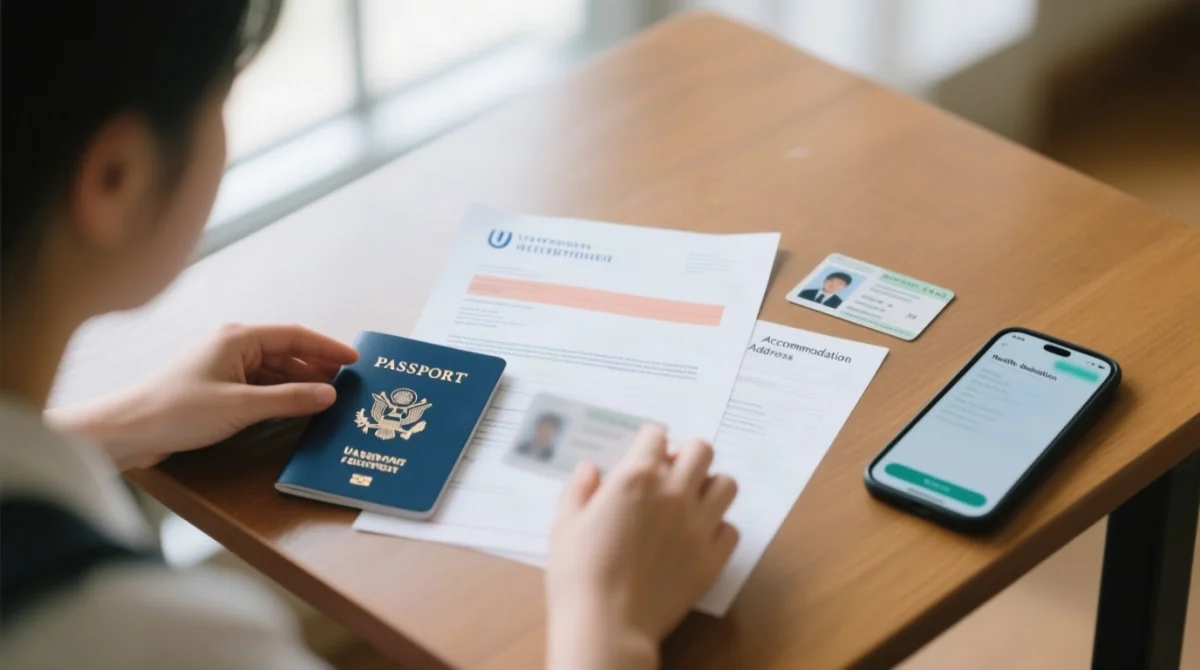
Students need a valid passport, proof of enrolment, and accommodation details to complete the free eTravel registration.
Submit the eTravel Pass Philippines application within 72 hours before departure. Registration is free and includes the eHDC, which asks about illness or exposure in the past 30 days. As of 2026, the eHDC surveillance scope covers infectious diseases, emerging diseases, and public health emergencies of international concern (PHEIC).
| Document / Requirement | Details for Student Travellers |
|---|---|
| Passport | Minimum 6 months validity from the arrival date. |
| Proof of enrolment | University acceptance letter or student ID needed. |
| Accommodation address | Host institution or dormitory address required in Step 4. |
| Return ticket | Exempt for long-term 9(f) student visa holders. |
eTravel QR Codes and Airport Checklist
A green QR code permits direct immigration clearance; a red code triggers BOQ inspection due to incomplete data, illness, or exposure within the past 30 days. Red-code holders must undergo mandatory further inspection by the Bureau of Quarantine (BOQ) before immigration formalities.
In our testing of the eTravel system in December 2025, travellers who reported even mild flu-like symptoms within the 30-day window were consistently issued red QR codes. One reader reported that BOQ screening added approximately 45 minutes to their arrival process at NAIA Terminal 3.
The eTravel QR code is accepted as a digital screenshot, download, or printed copy. An airline representative inspects it prior to boarding, so a student should save a screenshot as backup before reaching the airport. Data editing is allowed prior to processing by BOQ and Bureau of Immigration (BI).
Travellers arriving without a Philippine SIM can retrieve their eTravel Pass QR code via airport Wi-Fi at etravel.gov.ph/search by entering their reference number and date of birth. Unaccompanied minor students need a separate registration linked to their own passport; a parent or guardian must sign the declaration on their behalf. Minors travelling under a Waiver of Exclusion Ground (WEG) still require their own individual pass. Fraudulent eTravel websites can be reported to the CICC at cicc.gov.ph/report.
Guide for Teachers, Volunteers, Missionaries and Retirees
Teachers, volunteers, missionaries, and retirees must also register for the eTravel Pass Philippines for students and related categories, selecting their visa type in the dropdown. Group registration is possible, but each traveller needs an individual profile linked to a separate passport number.
| Group | Visa Category | Travel Purpose in Form | Accommodation Type | Notes |
|---|---|---|---|---|
| Volunteers | 9(g) | Volunteering | NGO housing / host family | Carry institutional invitation letter |
| Missionaries | 47(a)(2) | Religious / charity | Parish accommodation | Sponsorship docs as physical copy |
| Retirees | SRRV | Long-term stay | Residence address | Enter SRRV number in form; SRRV holders follow standard registration with no return-ticket requirement |
| Exempt groups | 9(e) | N/A | N/A | Accredited foreign government officials and service passport holders are exempt |
As of 2026, 9(e) visa holders and official or service passport holders are exempt from eTravel registration entirely. Every other traveller, regardless of group, must submit the eTravel declaration before departure through the government’s portal at etravel.gov.ph.
Sources and further information: eTravel.gov.ph (government portal), immigration.gov.ph (Bureau of Immigration), cicc.gov.ph (Cybercrime Investigation and Coordinating Center). For UK-based students, contact the Philippine Embassy in London for visa-specific questions. This article is for general informational purposes only and does not constitute legal or immigration advice. Immigration rules may change without prior notice.
FAQ
How do I register for the eTravel Pass as a student?
Visit etravel.gov.ph, create an account, select education purpose, enter passport and accommodation details, and submit within 72 hours before departure to receive your QR code.
Is the eTravel Pass free for students?
Yes, registration is free. Never pay for the eTravel Pass; report fraudulent sites asking for payment to the CICC at cicc.gov.ph/report.
What documents do I need for student eTravel registration?
A valid passport (6 months validity), proof of enrolment, host institution address, and flight details. Carry physical sponsorship letters separately; no uploads required.
What happens if I receive a red QR code?
A red QR code triggers mandatory BOQ health screening before immigration, for incomplete data or illness/exposure within the past 30 days.
Are volunteers and missionaries required to register?
Yes. Select the appropriate visa category: 9(g) for volunteers, 47(a)(2) for missionaries, SRRV for retirees. Each traveller needs individual registration.
Can I retrieve my QR code at the airport without a Philippine SIM?
Yes. Use airport Wi-Fi, visit etravel.gov.ph/search, enter your reference number and date of birth, then save a screenshot.
Are unaccompanied minor students required to have their own eTravel Pass?
Yes. Each minor needs separate registration linked to their own passport; a parent or guardian signs the declaration. WEG minors still require an individual pass.
How long is the eTravel Pass valid for students?
Valid for single entry, linked to your specific flight and passport. Repeat travellers must complete a new registration each trip within the 72-hour window.