

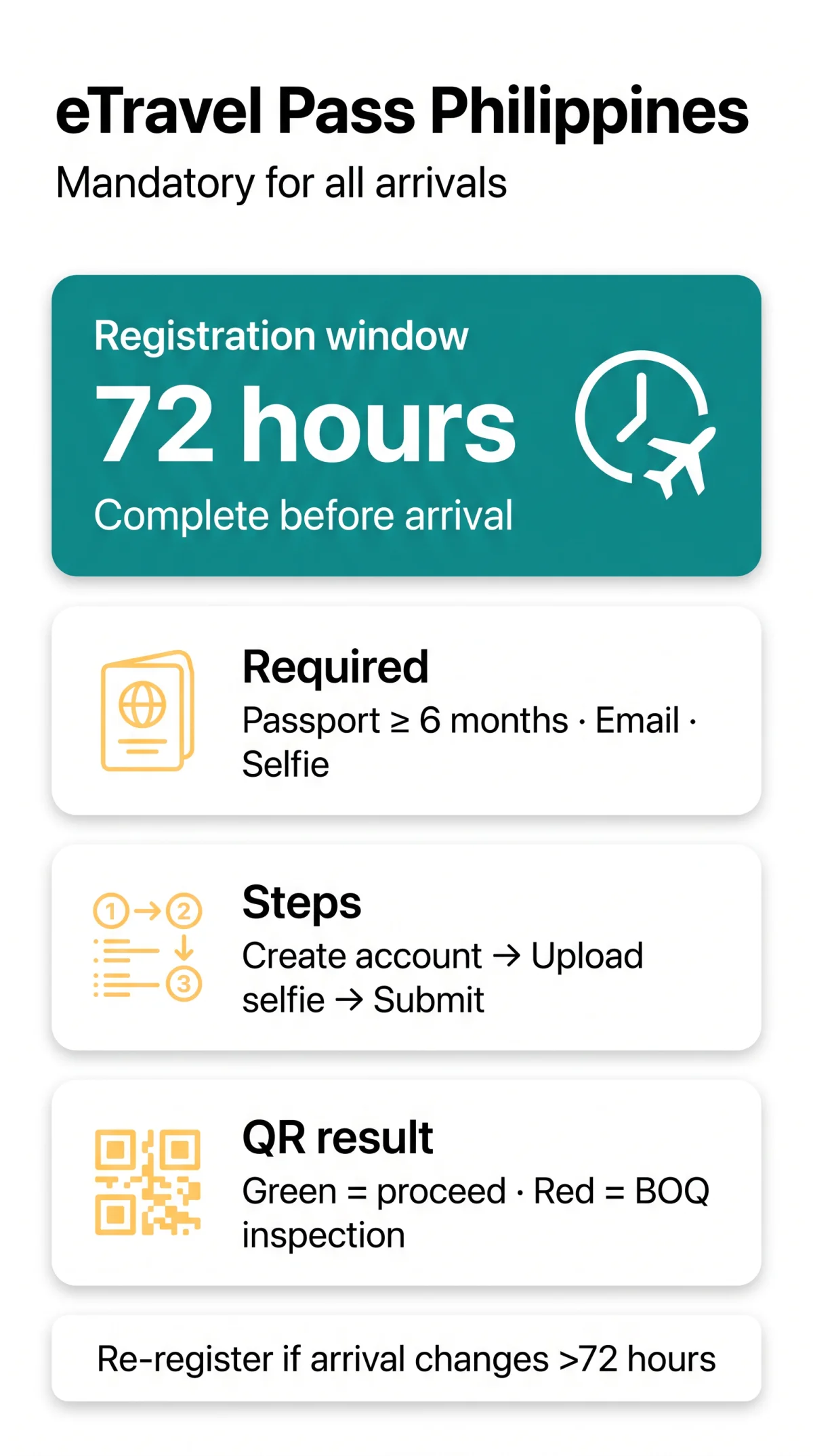
The eTravel Pass is a free, mandatory digital registration for all travellers entering the Philippines, completed online at etravel.gov.ph within 72 hours before arrival. A valid passport (6 months minimum), an active email for OTP verification, a selfie upload, and a health declaration are required. A green or red QR code is issued instantly upon successful form submission. The entire process takes approximately 10 minutes. As of 2026, the eTravel Pass remains mandatory per the Bureau of Immigration (BI) advisory. Last reviewed: 14 September 2026 against Bureau of Immigration advisories.
What Is the Philippine eTravel Pass and Who Needs It?
The eTravel Pass is a mandatory digital registration required for all arriving passengers – Filipino citizens, foreign nationals, and crew members – except accredited diplomats holding 9(e) visas. Formally the Philippine Travel Information System, it operates under the Ease of Doing Business Law (R.A. 11032) and replaces paper-based border declarations with a single online form.
| Traveller Category | eTravel Pass Required? |
|---|---|
| Arriving foreign nationals | ✅ Yes |
| Arriving Filipino citizens | ✅ Yes |
| Arriving crew members | ✅ Yes |
| Departing Filipino citizens | ✅ Generally required |
| Departing foreign tourists | ❌ Not required |
| Accredited diplomats (9(e) visa holders) | ❌ Exempt |
| Dependents of foreign diplomats | ❌ Exempt |
| Foreign dignitaries | ❌ Exempt |
| Children / minors | ✅ Individual pass required |
| Airside transit passengers | Conditional |
Do I Need an eTravel Pass If I’m Just Transiting?
If you remain airside at Manila Ninoy Aquino International Airport and do not pass through Philippine immigration, the eTravel Pass is generally not required. Confirm with your airline before travel.
Is eTravel Pass Still Required in 2026?
Yes. As of 2026, the eTravel Pass remains mandatory for all arrivals to the Philippines, per Bureau of Immigration advisory. All arriving passengers – Filipino citizens, foreign nationals, and crew members – must complete registration before entry.
eTravel Pass Requirements – What You Need Before You Start
The eTravel Pass registration requires a passport valid for at least 6 months from your arrival date, an active email address for six-digit OTP verification, and a JPEG or PNG selfie upload. Before learning how to apply for eTravel Pass Philippines, gather the following items.
What you DO need:
- ✅ Passport with ≥ 6 months validity from intended arrival
- ✅ Active, regularly checked email address (for OTP delivery)
- ✅ Flight details: flight number, airline, arrival date
- ✅ Complete lodging address in the Philippines (hotel, Airbnb, or residence)
- ✅ Digital selfie (well-lit, front-facing)
What you DON’T need:
- ❌ Payment card – the eTravel Pass is free of charge
- ❌ Printed documents – a digital QR code on your phone suffices
Selfie / Profile Photo – Technical Specifications
Upload a JPEG or PNG file with a plain background and your face well-positioned within the frame. Common rejection reasons include blurry images, poor lighting, a partially obscured face, or a wrong angle. If file size causes upload errors, compress the image while maintaining clarity.
I Hold Dual Citizenship – Which Passport Do I Use?
Use the passport you intend to present at Philippine immigration. The eTravel Pass registration must match your immigration passport for seamless clearance.
How to Apply for eTravel Pass Philippines – Steps 1 & 2: Account Creation & Profile Setup
Step 1 – Create Your Account (Email & OTP Verification)
On the portal at etravel.gov.ph, click “Sign In,” then “Create an Account.” Enter a valid email address and set a strong, unique password meeting the on-screen requirements, confirmed by re-typing. A six-digit one-time password (OTP) is sent to your email for verification. Note that two separate login systems exist on the portal – if one login path fails, try the alternative.
Step 2 – Create Your Profile (Personal Details & Selfie)
Enter your passport details exactly as printed: full name, nationality, date of birth, and passport number. Upload a well-lit, front-facing digital selfie in JPEG or PNG format. Provide your permanent residence, including house/building number and street.
How to Apply for eTravel Pass Philippines – Steps 3 to 6: Declarations, Submission & QR Code
Complete the Travel Declaration
Enter flight number, airline, arrival date, and lodging address. Select direction (arriving/departing) and declare for yourself or a family member. An integrated Currency Declaration Form requires disclosure of physical cash exceeding statutory thresholds.
Fill Out the Health Declaration (eHDC)
The Electronic Health Declaration Card, managed by the Bureau of Quarantine (BOQ), is integrated into the eTravel system. Questions cover current health symptoms, recent travel history, and vaccination status.
Submit & Receive Your QR Code
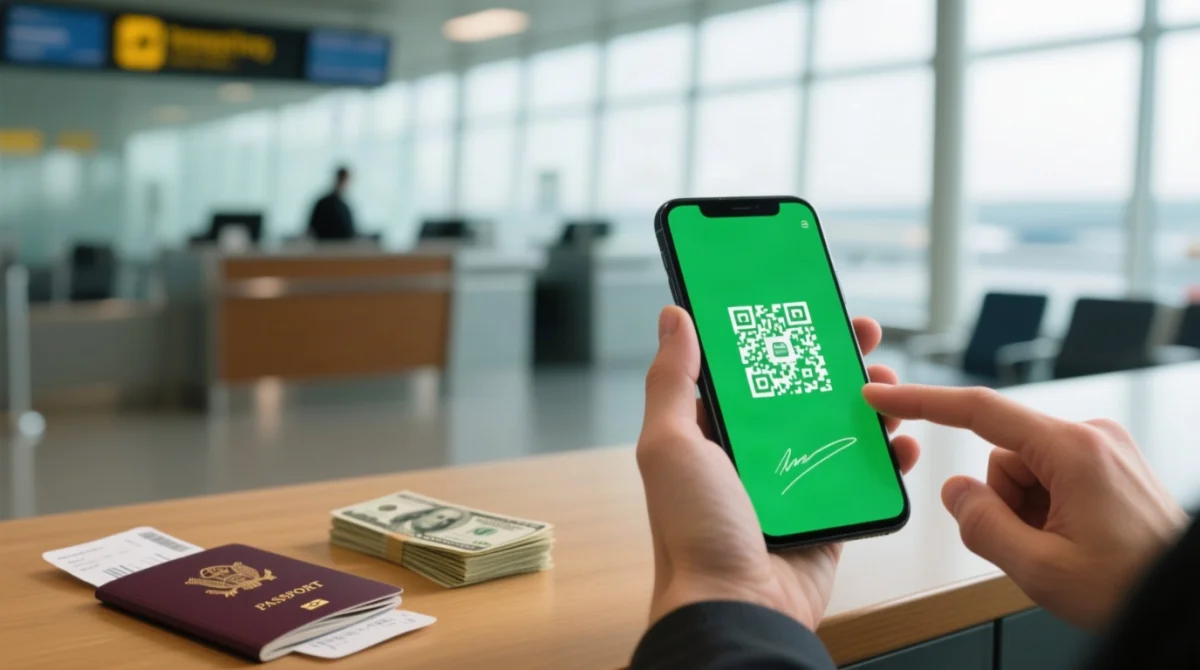
Affix your digital signature and submit. The QR code is generated instantly. Green QR = proceed to immigration; Red QR = secondary BOQ inspection.
Save, Screenshot & Download Your QR Code
Screenshot or download the QR to your device. If lost, retrieve it via “Edit Registration” on etravel.gov.ph using your original email and account credentials.
How to Access eTravel Pass – Website vs eGovPH Mobile App
The eTravel Pass is available through two channels: the etravel.gov.ph web portal accessible via any browser, and the eGovPH mobile app for iOS and Android devices. Both deliver identical registration functionality, so the choice depends on your preferred device. For cruise travellers, the eTravel system also supports cruise travel registration via a QR code scan directly on etravel.gov.ph.
| Feature | Web Portal (etravel.gov.ph) | eGovPH App (iOS / Android) |
|---|---|---|
| Access | Any browser on computer or phone | Mobile app installation required |
| Registration | Full eTravel Pass registration | Full eTravel Pass registration |
| Cruise registration | QR code scan supported | Not specified |
Is the eTravel Portal Available in Languages Other Than English?
As of 2026, the etravel.gov.ph portal and the eGovPH app operate in English and Filipino only. No Chinese, Korean, or Japanese interface is currently available.
eTravel Pass Cost, Fees, and Scam Warning
The eTravel Pass is completely free of charge – no processing fee, no card payment, and no subscription of any kind. The Philippine government portal at etravel.gov.ph and the eGovPH mobile app are the only legitimate channels. Any third-party website requesting payment for the eTravel Pass is a scam. The Philippine Bureau of Immigration has publicly warned against fraudulent registration sites that mimic the government portal.
| Feature | Government Portal (etravel.gov.ph) | Scam Sites |
|---|---|---|
| Cost | Free | Fee charged by card or transfer |
| URL pattern | etravel.gov.ph | Similar-looking domain with extra words or suffixes |
| Payment prompts | None | Card details, e-wallet, or bank transfer required |
| Branding | Philippine government insignia only | Intermediary or commercial branding |
Verify the URL shows etravel.gov.ph before entering any details. If a payment screen appears, close it immediately – registration never asks for financial information.
Processing Time, QR Code Validity, and Airport Procedure
The eTravel Pass requires completion within 72 hours before arrival or departure. The QR code is generated instantly upon successful form submission, with no manual approval delay. Register as early as possible within the 72-hour window.
Present your QR code at airline check-in before boarding and again upon arrival at the Philippine airport. A green QR code grants direct passage to the immigration counter. A red QR code directs you to secondary inspection by the Bureau of Quarantine (BOQ).
What Happens If My Flight Is Delayed Beyond the 72-Hour Window?
If your arrival shifts more than 72 hours from your original registration, re-register on etravel.gov.ph and generate a new QR code. There is no penalty for re-submitting your eTravel Pass application.
Troubleshooting – Common Errors and How to Fix Them
Lost eTravel QR codes can be recovered through the “Edit Registration” function on etravel.gov.ph using the original email and account credentials. If you discover an error in your form after submission, log in and use “Edit Registration” to update your details before your travel date. The eTravel Pass occasionally surfaces technical issues – most are resolvable within minutes.
| Problem | Cause | Fix |
|---|---|---|
| OTP email delay | Six-digit one-time password (OTP) routed to spam or delayed by provider | Check spam/junk folders; wait up to 10 minutes; request re-send |
| Selfie upload failure | Wrong file format or oversized image | Use JPEG or PNG; reduce file size; ensure good lighting and front-facing angle |
| Cannot log in | Two separate login systems exist on the portal | If one login panel does not work, try the other |
| QR code not appearing after submission | Page did not refresh or session timed out | Refresh the page; check email for confirmation; use “Edit Registration” on etravel.gov.ph |
How to Recover a Lost or Forgotten QR Code
Log in to etravel.gov.ph with your original email and account credentials, select “Edit Registration,” and your previously generated QR code will appear. Save a screenshot or download the file to your device before departure.
Frequently Asked Questions (FAQ) – eTravel Pass Philippines Registration
Do US citizens need an eTravel Pass for the Philippines?
Yes. eTravel applies to all nationalities, including US citizens. The US Smart Traveler Enrollment Program (STEP) is a separate programme that delivers security messages and assists during emergencies abroad, but does not replace eTravel registration. US citizens must complete the standard eTravel Pass process at etravel.gov.ph within 72 hours before arrival.
Do children need a separate eTravel Pass?
Yes. Each child must have an individual eTravel Pass linked to their own passport number. A parent or guardian completes the registration form on the child’s behalf using the child’s passport details. No group or shared registration is accepted.
My flight was delayed – do I need to re-register?
If your arrival shifts more than 72 hours from your original registration, re-register on etravel.gov.ph and generate a new QR code. There is no penalty for re-submitting. If the delay stays within the 72-hour window from your original registration, your existing QR code remains valid.
Is the eTravel portal available in languages other than English?
As of 2026, the etravel.gov.ph portal and the eGovPH app operate in English and Filipino only. No Chinese, Korean, or Japanese interface is currently available.
What currency declaration thresholds apply?
The integrated Currency Declaration Form within eTravel requires disclosure when carrying physical cash exceeding statutory limits. Verify current thresholds on etravel.gov.ph or with the Bureau of Customs before travel, as specific amounts are subject to regulatory updates and are not specified in the eTravel interface itself.
Where can I find the eTravel Pass website?
The government portal is https://etravel.gov.ph/. The eGovPH mobile app is the only alternative channel, available on iOS and Android. Any other website charging fees for registration is not affiliated with the Philippine government and should be avoided. The eTravel Pass is free of charge.
Do I need an eTravel Pass if I’m just transiting?
If you remain airside at the airport and do not pass through Philippine immigration, eTravel registration is generally not required. Confirm with your airline before travel, as rules may vary depending on your specific transit arrangement and whether you change terminals or terminals require re-screening.
Is eTravel still required in the Philippines in 2026?
Yes. As of 2026, the eTravel Pass remains mandatory for all arrivals to the Philippines per the Bureau of Immigration (BI) advisory. All arriving passengers – Filipino citizens, foreign nationals, and crew members – must complete registration before entry. The requirement is grounded in the Ease of Doing Business Law (R.A. 11032).
I hold dual citizenship – which passport do I use?
Use the passport you intend to present at Philippine immigration. The eTravel registration details must match your immigration passport to ensure data consistency and seamless clearance at the border. Enter the full name, nationality, passport number, and date of birth exactly as they appear on that passport.