

The eTravel Pass Philippines eGov app process involves downloading the eGovPH app from the UK App Store or Google Play, creating an account with an email and a 6-digit OTP, and completing your declaration to receive a QR code. UK travellers can also register via any browser at https://etravel.gov.ph/. Each platform offers distinct advantages: the eGovPH app provides biometric login and offline QR code storage, while the desktop browser excels at batch-registering family members through multiple tabs. The mobile browser is a zero-install alternative for travellers with older devices or limited storage. This guide breaks down the step-by-step registration flow for all three platforms, highlights the pros and cons of each method, and explains how to save your QR code for immigration inspection upon arrival in the Philippines in 2026.
Last updated: September 2026. This guide reflects the current eTravel system based on procedures published at etravel.gov.ph.
What Is the eTravel Pass and What Do You Need Before Registering?
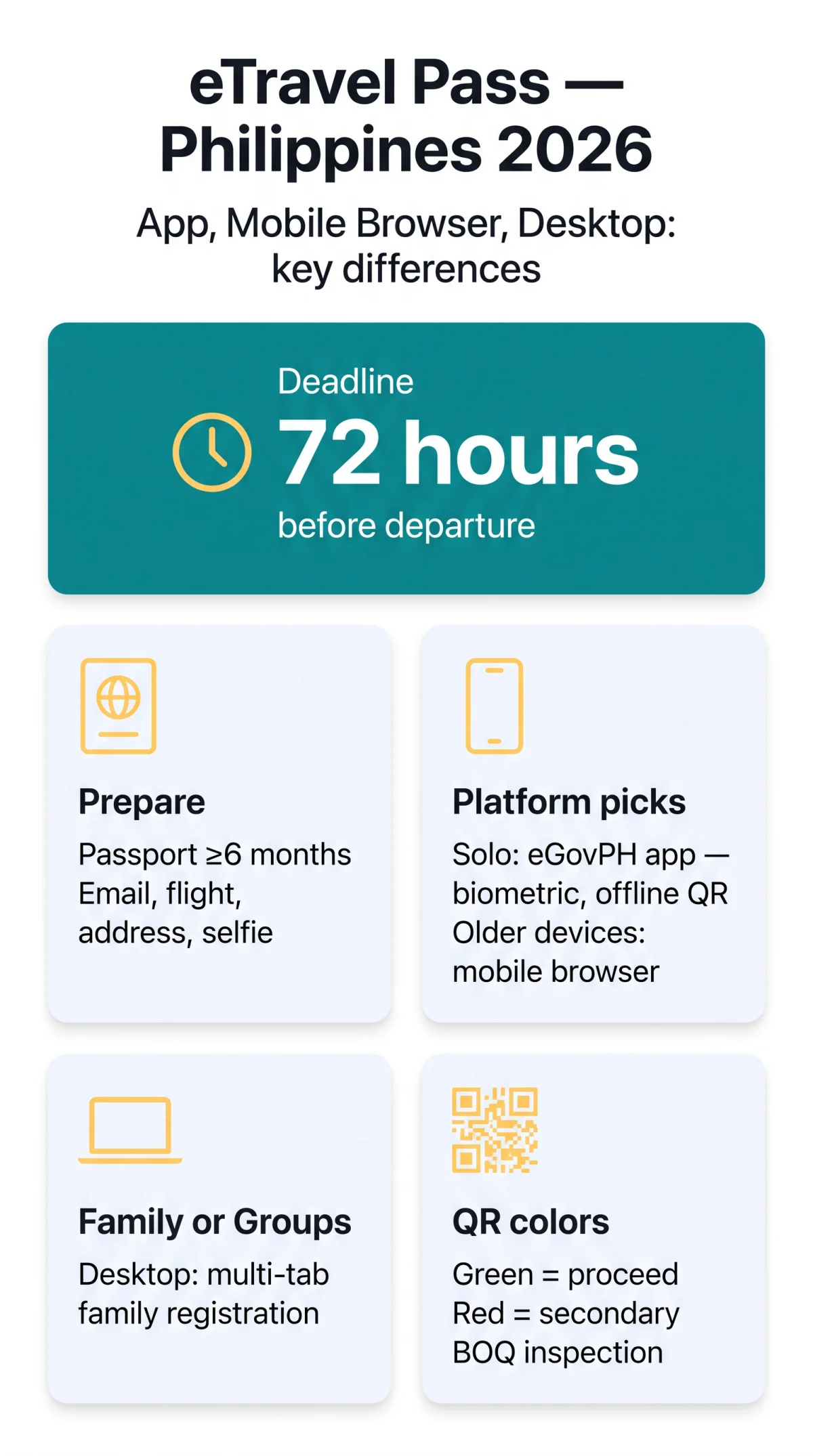
In 2026, the eTravel Pass (Philippine Travel Information System) remains a free, mandatory electronic declaration for all arriving passengers and departing Filipino citizens, completed within 72 hours before departure. Registration is free of charge on every platform, with no payment mechanism in the system. The eTravel Pass functions as the One-Stop Electronic Travel Declaration System under the Ease of Doing Business Law (R.A. 11032) and is accessible at etravel.gov.ph.
UK passport holders enjoy visa-free entry for up to 30 days, but the eTravel Pass Philippines eGov app process is still mandatory for all arrivals. British passports must carry at least 6 months validity from the intended travel date.
Exemptions apply to foreign diplomats, 9(e) visa holders, and diplomatic or official/service passport holders.
Before registering, prepare:
- Passport with at least 6 months validity from intended travel date
- Email address
- Flight details (airline, flight number, arrival/departure date)
- Philippine accommodation address (hotel, Airbnb, or residence)
- Well-lit front-facing selfie
- Phone number
Registering via the eGovPH App – Step by Step
The eGovPH app (iOS 14+/Android 8+, ~100-200 MB) offers biometric login, live camera selfie capture, and native offline QR storage, completing the eTravel Pass Philippines eGov app process in under 10 minutes in 2026.
Downloading and Installing the App
The eTravel Pass Philippines registration process via the eGov PH app begins by downloading from the UK App Store or Google Play. The app requires iOS 14+ or Android 8+ and occupies approximately 100-200 MB of device storage.
Creating Your Account and Logging In
Account creation uses an email address verified by a 6-digit one-time password (OTP). Users then set a Mobile Personal Identification Number (MPIN) and may enable biometric login via Face ID or fingerprint for faster subsequent access.
Completing the eTravel Declaration
Enter passenger details
Flight itinerary and Philippine accommodation address
Complete eHDC & Currency Form
Integrated Electronic Health Declaration Card and Currency Declaration Form
Capture a selfie
Well-lit front-facing selfie via the live camera
Authorise submission
Digital signature to finalise the declaration
Submitting and Receiving Your QR Code
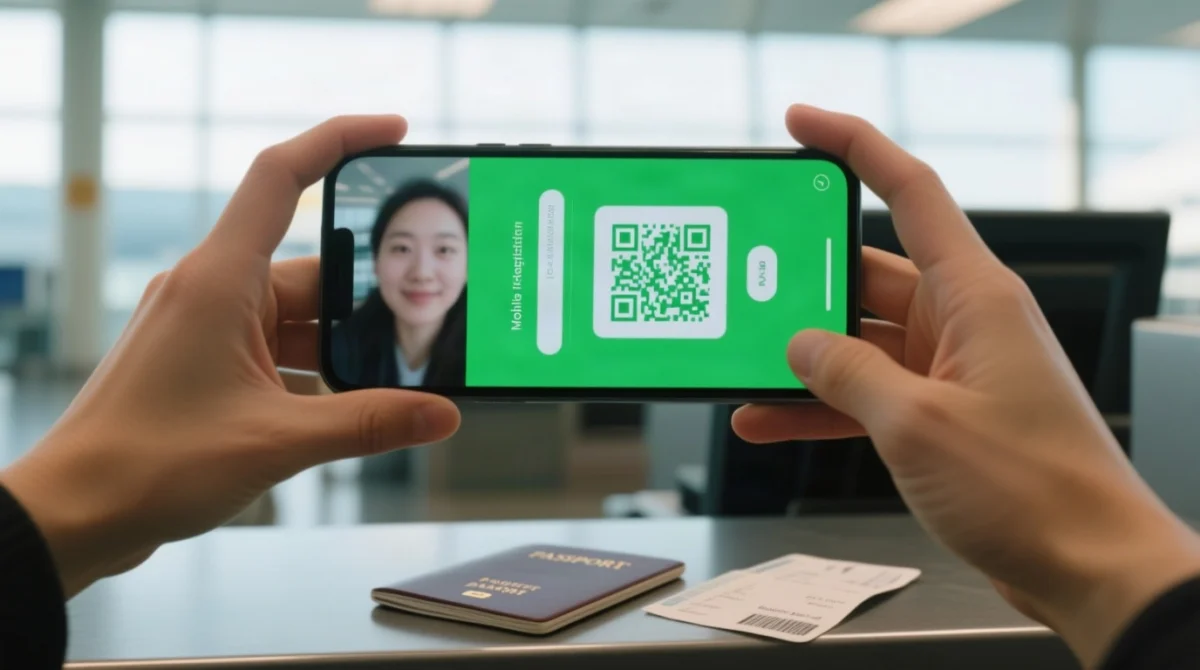
Upon submission within the 72-hour pre-departure window, the eGovPH app generates a QR code immediately. A green QR code confirms complete data and grants direct immigration passage; a red QR code indicates incomplete or incorrect data, illness within the past 30 days, or exposure to a communicable disease, triggering secondary inspection by the Bureau of Quarantine (BOQ). The QR code is stored natively in the app for offline airport access.
Registering via Mobile Browser and Desktop – No-Download Alternatives
For 2026 travel, the eTravel Pass Philippines eGov app process provides biometric login and native QR storage, but both browser alternatives require no app download. Access etravel.gov.ph via mobile or desktop, log in with email plus a 6-digit OTP (no MPIN, no biometric), and upload photos via file picker (no live camera). Neither platform supports push notifications. UK travellers on limited roaming data should note that the mobile-responsive site loads efficiently on 4G/5G connections.
Mobile Browser Registration Steps
- Open etravel.gov.ph on any mobile browser (mobile-responsive, zero storage footprint).
- Verify your email via 6-digit OTP, then upload selfie and passport photos via file picker.
- Complete the eTravel Pass declaration (passenger details, flight, accommodation, eHDC, Currency Declaration Form) and submit.
- Screenshot or download your QR code before closing; session timeouts may occur with no confirmed draft auto-save.
Desktop Registration Steps
- Open etravel.gov.ph on a desktop browser; log in with email and 6-digit OTP.
- Complete the same eTravel Pass declaration fields, upload documents, and submit. For family batch registration, use multiple tabs, each registering one family member (“self or immediate family member”).
- Save the QR by screenshot, PDF, or print hardcopy. Use “Edit Registration” for pre-verification edits; retrieve a lost QR at etravel.gov.ph/search with reference number and date of birth.
Side-by-Side Comparison: Which Platform Should You Choose?
The eGovPH app excels in convenience and offline QR storage; browsers suit one-time travellers; desktops enable family batch registration. In 2026, all three platforms deliver the same mandatory proof of registration – a green or red QR code that border control authorities inspect upon arrival.
| Feature | eGovPH App | Mobile Browser | Desktop |
|---|---|---|---|
| Login method | OTP, MPIN, Face ID/Fingerprint | Email + 6-digit OTP only | Email + 6-digit OTP only |
| Photo capture | Live camera selfie | File upload | File upload |
| Form navigation | Touch-optimised sequential screens | Mobile-responsive layout | Full-width mouse-driven |
| Health declaration (eHDC) | Integrated in-app | Integrated in form | Integrated in form |
| Submission | In-app submit | Web submit | Web submit |
| QR code saving | Native offline storage | Screenshot or PDF | Screenshot, PDF, or print |
| Offline access | Yes – stored natively | No – manual save needed | No – manual save needed |
| Session timeout | Draft may auto-save | Session may be lost | Session may be lost |
| Draft auto-save | May retain incomplete form | Not confirmed | Not confirmed |
| Notifications | Push alerts for policy updates | None | None |
Pros and Cons by Platform
eGovPH App
- Biometric login
- Native offline QR storage
- Push notifications
- Live camera selfie
- Saved profiles
- Requires download (~100-200 MB)
- App-only OS requirements (iOS 14+/Android 8+)
- Potential compatibility issues on older devices
Mobile Browser
- Pros: no install, works on any device, zero storage footprint
- Cons: no biometric login, file upload only, session timeout risk, no push notifications
Desktop
- Pros: large screen, multi-tab group registration, easy PDF/QR print
- Cons: no portability at airport, file upload only, no biometric, requires laptop access
Which platform should you choose? Solo travellers benefit from the eGovPH app (biometric login, offline QR, push notifications). Families or groups should use desktop – multi-tab workflows enable batch registration for each “self or immediate family member”. Business travellers can use either the app or desktop depending on device preference. Users with older devices (below iOS 14+ or Android 8+) should opt for the mobile browser, which has zero storage footprint and no OS requirements.
Troubleshooting: Common Errors and Retrieving a Lost QR Code
If your browser session times out during eTravel Pass registration, the form data may be lost without auto-save. The eGovPH app may retain a draft. Restart the process using the same email login to continue. For validation failures, double-check that your passport number, flight number, and accommodation address match your booking confirmations exactly.
The Edit Registration tab at etravel.gov.ph allows corrections before verification by border control authorities (BOQ and Bureau of Immigration) on any platform. If you registered multiple times, present only one QR code during inspection.
To retrieve a lost eTravel Pass QR code, go to etravel.gov.ph/search and enter your reference number and date of birth. Report fraudulent entities to the Cybercrime Investigation and Coordinating Center (CICC) at cicc.gov.ph/report/. Always use https://etravel.gov.ph/ to avoid phishing sites.
FAQ
How do I register for the eTravel Pass using the eGovPH app?
Download the eGovPH app from the App Store or Google Play, create an account with email and a 6-digit OTP, set your MPIN, complete the travel declaration (passenger details, flight, accommodation, eHDC), capture a selfie via live camera, then submit to receive your QR code.
Can I complete the eTravel Pass without downloading the eGovPH app?
Yes. Visit https://etravel.gov.ph/ on any mobile or desktop browser. No app download is mandatory. The website is mobile-responsive and provides the same declaration form.
Is the eTravel Pass registration free?
Yes, completely free on all platforms. There is no payment mechanism in the system.
How far in advance must I complete the eTravel Pass?
Within 72 hours (3 days) before your scheduled departure to the Philippines.
What do the green and red QR codes mean?
Green = proceed to immigration; red = incomplete data, illness in the past 30 days, or exposure to a communicable disease, triggering secondary BOQ inspection.
Can I save my QR code for offline use?
The eGovPH app stores QR codes natively for offline access. On browsers, take a screenshot, download the PDF, or print a hardcopy before closing the page.
Which platform is best for registering a family?
Desktop is ideal for batch registration because you can open multiple browser tabs for each family member. The eGovPH app handles one profile at a time.
What happens if my session times out during registration?
Browser sessions may be lost without auto-save. The eGovPH app may retain a draft. Restart the process using the same email login to continue.
How do I retrieve a lost eTravel Pass QR code?
Go to https://etravel.gov.ph/search and enter your reference number and date of birth to retrieve your registration and QR code.
Do UK citizens need a visa for the Philippines?
No. British passport holders enjoy visa-free entry for up to 30 days. The eTravel Pass remains mandatory for all arrivals.
How do I report a fraudulent eTravel website or scam?
Report fraudulent entities to the Cybercrime Investigation and Coordinating Center (CICC) at https://cicc.gov.ph/report/. Always use https://etravel.gov.ph/ to avoid phishing sites.
Can I edit my eTravel Pass after submitting?
Yes, but only before the Bureau of Quarantine and Bureau of Immigration process and verify your registration. Use the Edit Registration tab on the website.